Resource Guide
Private-Label Tire Labels: How to Prioritize Size, Code and Brand Information
Private-label tire labels ask a busy reader to find size, product identity, performance information and traceability data quickly. The layout needs a reading order before it needs decorative detail.
Published 2026-09-26
Digital proof before production. Material and adhesive options are discussed according to your application requirements.
The Reader Has Only a Few Seconds
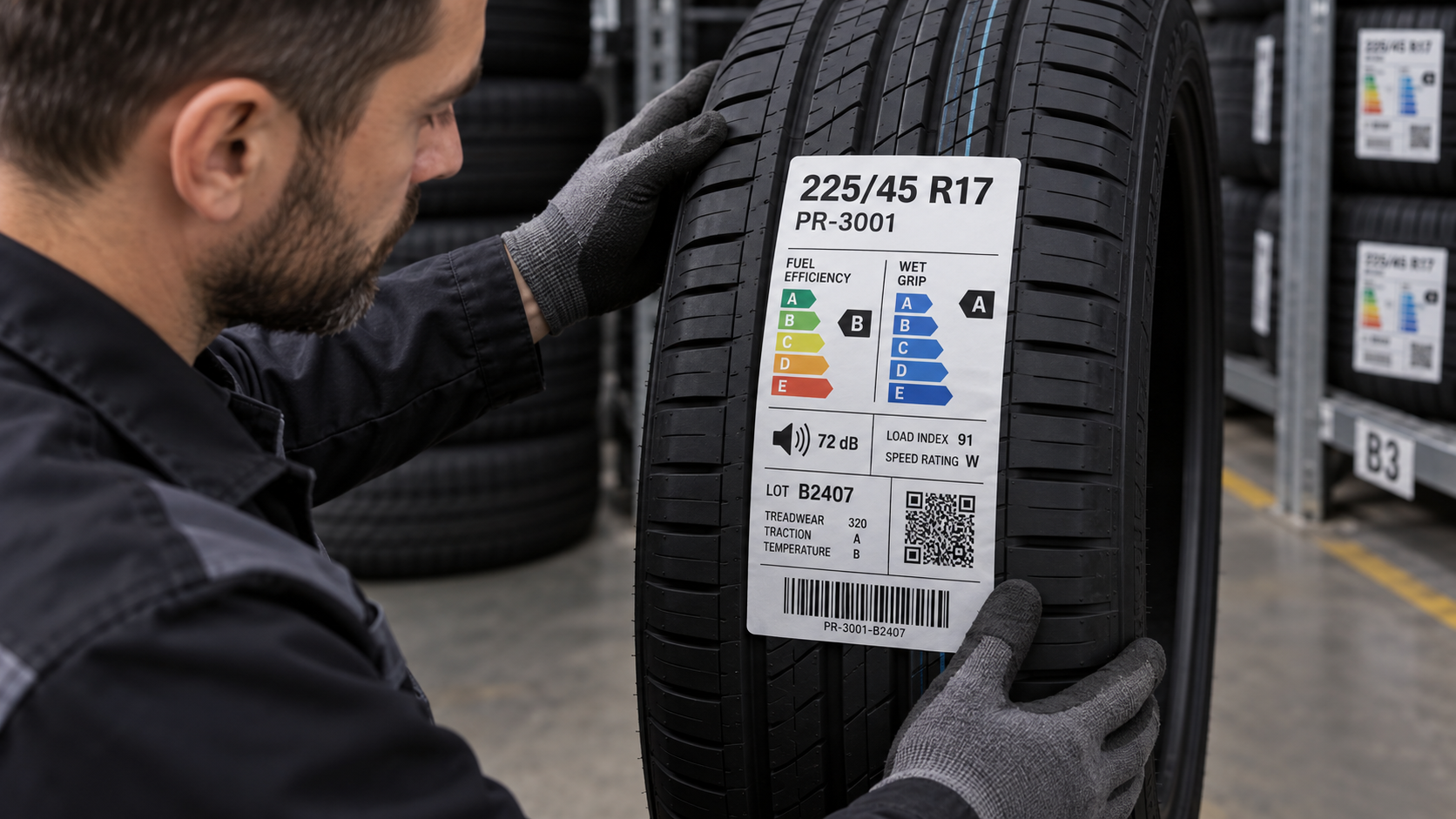
A tire label can contain product size, product code, feature graphics, a barcode, noise or performance fields, a batch reference and a private-label identity. A buyer or warehouse worker does not read all of that at once. The best hierarchy makes the first question easy: which tire is this? Supporting data should become available without competing with that first decision.
A Composite Distributor Scenario: The Logo Was Large, the Tire Size Was Lost
In a composite distribution review, the buyer approves a strong private-label identity at the top of the artwork. The tire size is technically present, but it sits inside a dense lower panel beside a barcode and feature icons. At the rack, staff keep turning the tire to find the size. The layout needs no more claims or color. It needs the tire size, product identifier and scannable field to have different visual jobs.
Give Each Field a Reading Job
Before the proof is drawn, group the fields by the person and moment that use them. A retail buyer may need tire size and product family first. A warehouse operator may need a product code or barcode. A private-label manager may need controlled logo placement. Create the order around these moments, not around every field being equally loud.
- First-read field: tire size, product family or approved private-label identity
- Warehouse field: SKU, product code, barcode or QR-style data
- Supporting field: performance graphic, construction note or handling information
- Traceability field: batch, lot or buyer-supplied variable data
- Physical label size, tire placement, roll direction and proof-review owner
Test the Layout From the Actual Display Position
A label can look balanced when flat on screen and become difficult to read once it follows the tire surface. Review the artwork at the finished size on a tire photo or representative sample. Check what is visible when the tire stands upright, which panel is partly curved and where a hand or rack can hide the key field.
FAQ
Questions Buyers Ask
What information should appear first on a private-label tire label?
That depends on the buyer workflow, but tire size, product identification and the reader’s primary selection task should be agreed before supporting graphics and traceability fields.
Can a tire label include a barcode and a private-label identity?
Yes. Reserve distinct space for the first-read product information and for warehouse or tracking data so neither field competes with the other.
Can a screen proof confirm readability on a tire?
It confirms layout direction, but a finished-size review on a representative tire surface is more useful for checking actual reading position and curvature.