Thermal Tire Barcodes: Review Print Direction Before Rotating the Code
Published
The barcode fits the tire-label window after a quarter turn. The product code is unchanged, the text still looks tidy, and the designer is ready to release the file. The print owner has a different question: which way will those bars travel through the thermal printer?
Review barcode orientation against actual media travel before approving the rotated layout. Preserve the required symbol dimensions and payload, compare representative printed output, then check the label where it will be scanned on the tire. A rotation that saves artwork space can change the printing problem and the installed scan view.
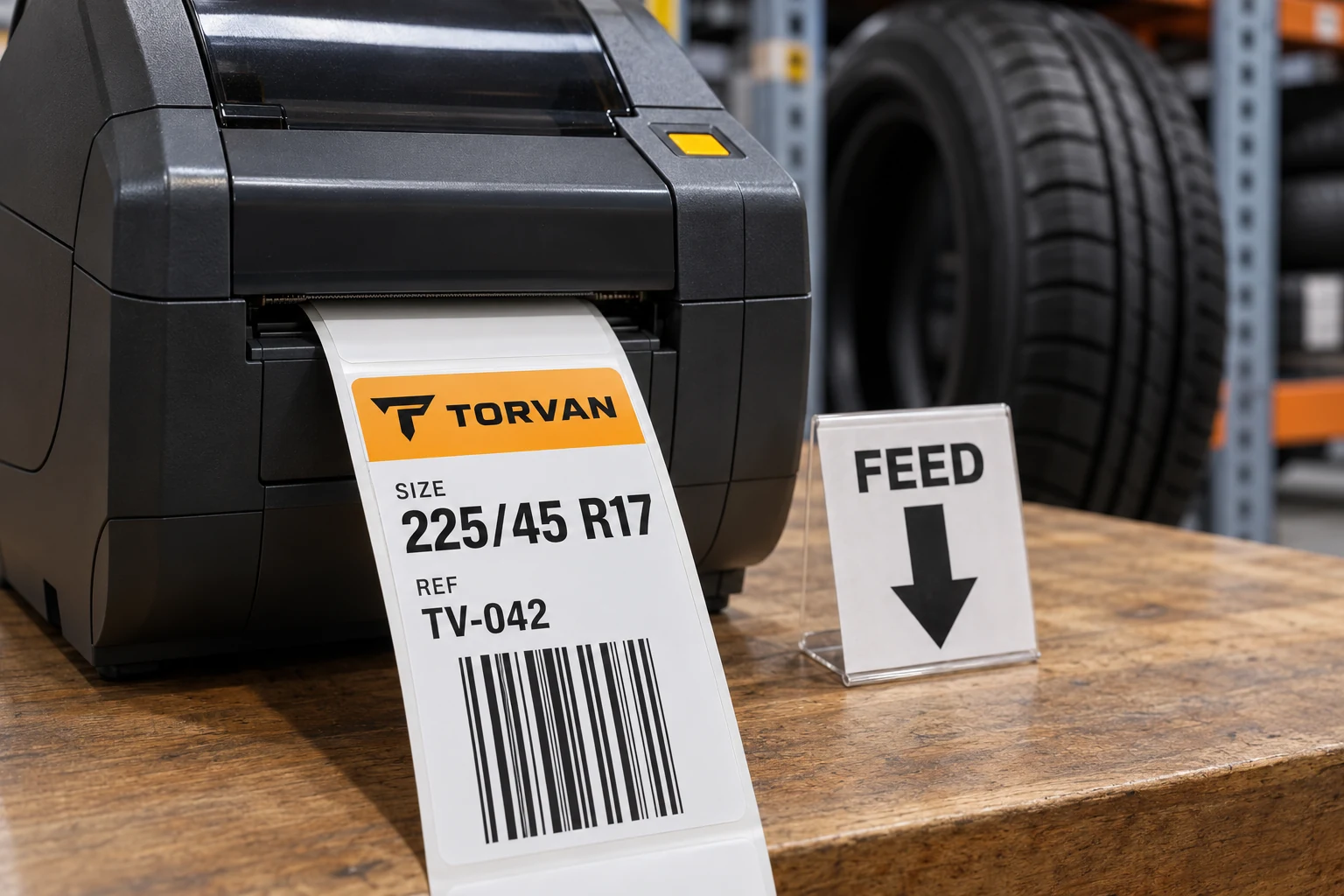
Put a feed arrow on the proof
Terms such as horizontal and vertical are easy to misunderstand when one person is looking at a template and another is holding a roll sideways. Mark the direction the liner travels through the intended printer. Then describe the long bars relative to that arrow.
In picket-fence orientation, the bars run parallel to media travel. In ladder orientation, they run across it. Loftware's thermal-printing guidance uses that distinction and discusses why ladder output can require further attention. This is a printing reference, not a universal setting sheet for every machine and material.
Keep three directions visible in the brief: travel through the printer, arrival at the applicator and reading orientation on the applied tire. They are connected, but they are not interchangeable. The tire-label roll-direction guide covers unwind and leading-edge handoff. Rotating a code within an unchanged label is a separate design choice.
Why rotation changes the print question
Thermal output is produced through the relationship between the printhead and moving media. Loftware explains the heating and cooling involved and the different relationship created when bars cross the direction of travel. Its adjustment suggestions are reasons to consult the actual print-system owner, not permission to copy arbitrary speed or darkness values into a purchase order.
A buyer should therefore ask for evidence from the proposed combination: printer, resolution, stock, ribbon where applicable, template and operating settings. Do not inherit approval from a similar-looking label printed in the other orientation. Equally, do not assume ladder orientation always fails. It may be workable when the selected equipment, layout and checks support it.
Avoid solving the fit by squeezing the symbol into the available rectangle. Changing the narrow element width, bar height or clear surrounding area can alter a different part of the code specification. Use the required symbology and size rules supplied by the receiving-system or code owner. The design must accommodate those rules.
Compare a controlled pair
An informative comparison changes the orientation while keeping the relevant inputs known. Start with the same approved payload and required geometry. Have the print owner document any necessary layout or configuration difference so the comparison does not quietly become two unrelated jobs.
| Review item | Keep or record | Question the comparison answers |
|---|---|---|
| Source | Same approved data record | Did the content remain correct? |
| Geometry | Required element width, height and quiet space | Was the symbol preserved rather than squeezed? |
| Device | Model, resolution and print path | Which setup produced the sample? |
| Construction | Stock and ribbon, if used | What complete print combination was reviewed? |
| Operation | Relevant settings and intended running conditions | Is the sample representative of the planned job? |
| Acceptance | Required payload, scan and quality checks | What was actually approved? |
The table is a proposed review record. It does not prescribe a grade, sampling plan or printer setting. Agree those requirements with the responsible owner before treating the output as accepted.
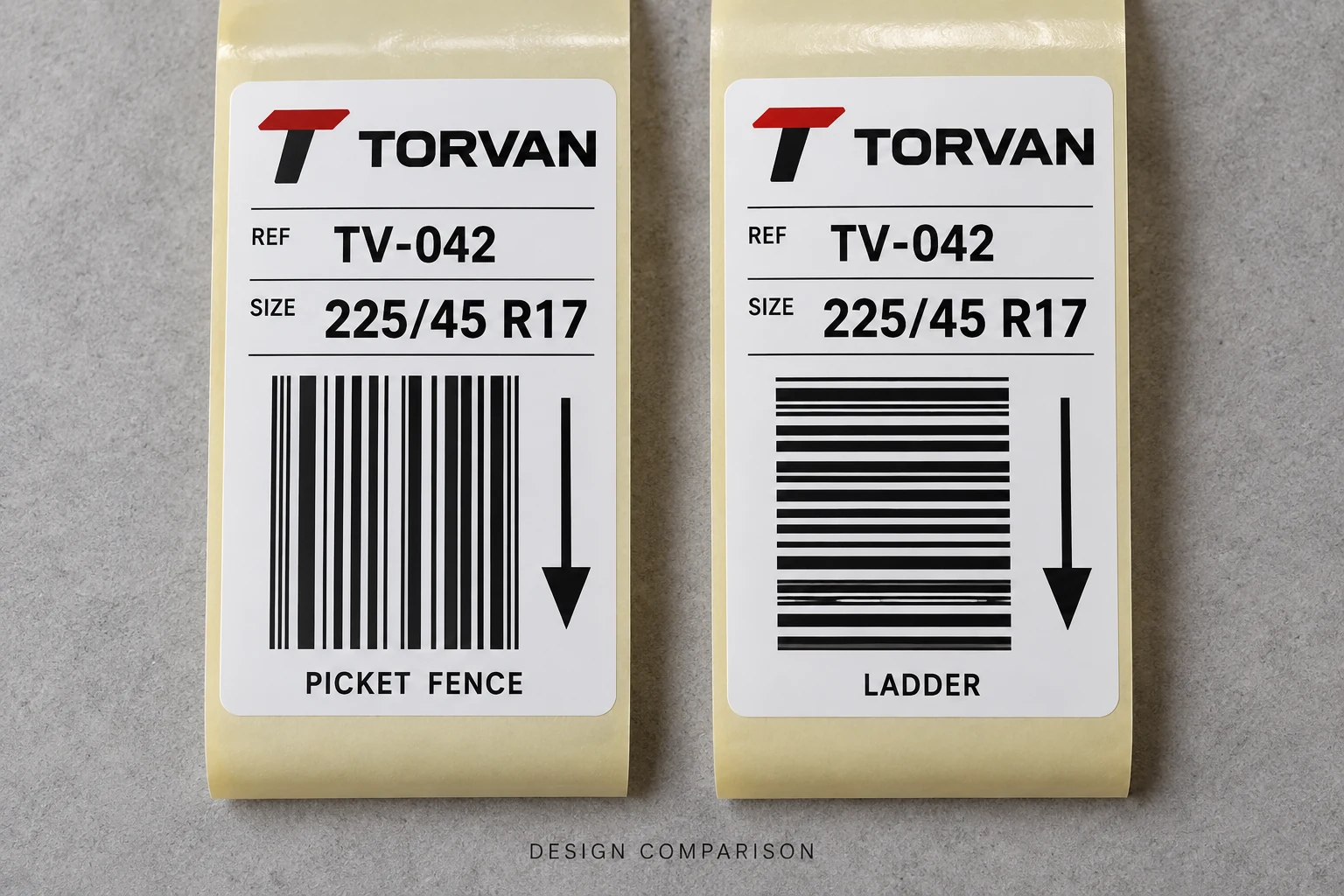
Inspect the printed pair at its intended physical size. Decode the output and compare the result with the approved source. If the order requires formal symbol-quality verification, obtain that defined evidence for the relevant samples. A screen preview and one successful scan do not establish the same thing as a specified verification result.
Keep the samples identifiable. Record their source file and configuration reference so a later conversation about the better-looking version refers to the actual output. Otherwise a helpful comparison can turn into another unexplained photograph in a message thread.
The best printed direction may lose at the scan point
The printer is only one part of the tire-label workflow. After printing, place representative labels in the proposed tire position and check the intended scanner, viewing angle and handling path. A convenient printer orientation can become awkward if the applied code wraps into a less accessible part of the tread or forces staff to turn the tire repeatedly.
Conversely, the visual preference for a rotated code may offer little value at the receiving station. If the existing orientation already fits the required information and works in the actual scan process, keeping it can avoid unnecessary changes. Let the decision follow the complete task rather than a preference for how the PDF looks.
Where the required code cannot fit without compromising its geometry, revisit the label footprint, information hierarchy or available print window with the owners. Changing the symbology or shortening data requires their approval. It should not happen silently during prepress to make the rectangle look balanced.
Release the combination you actually checked
Keep the final orientation drawing, approved template, data reference and output evidence together. State which printer and construction the review covers. A later change in device, stock or layout should return to the relevant checks rather than assuming the old orientation name is a permanent qualification.
For tire barcode labels, prepare an orientation brief with a marked feed arrow, actual label dimensions, code type and sample payload, proposed tire position, device details, roll format and quantity. The contact page organizes the requirements; use its email or WhatsApp route for supporting files. Approve the printed and applied result that the warehouse will actually handle.