Tire Label Forecasts: Make the Print Release Explicit
Published
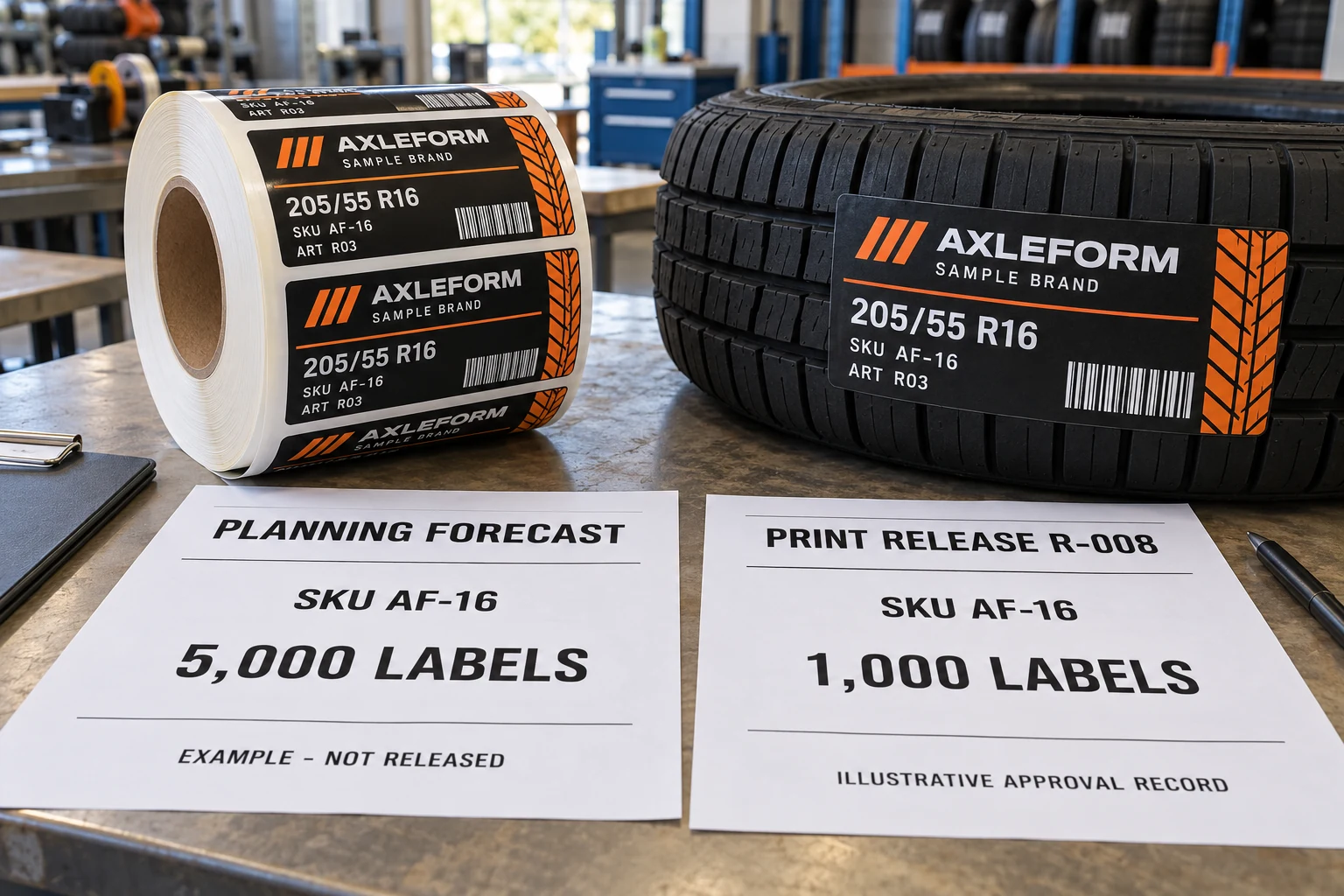
A planning sheet lists 5,000 tire labels for the coming period. The immediate packing job needs 1,000. Artwork revision R03 is approved. Those three statements can all be true without telling the converter whether to print 1,000 labels now, print all 5,000, or wait for another instruction.
This is an illustrative purchasing situation. The planner wants visibility of future demand, the buyer wants supply for a real job, and the printer needs an instruction it can execute. Treating every number in the email as an order makes their intentions look more aligned than they are.
Before placing a staged tire-label order, separate the planning quantity, the quantity authorized for production and the delivery instruction. Give each record a reference and an owner. A forecast update should trigger the agreed review, rather than quietly become a new print job.
Put a purpose beside every quantity
Use names that the buyer and supplier understand in the same way. A forecast can help discuss future demand and capacity. A print release identifies the approved work to produce. A dispatch instruction identifies what to send, where and when. One document may perform several jobs in an agreed purchasing process, but that should be explicit.
SAP's scheduling-agreement documentation distinguishes forecast and just-in-time delivery schedules within its own controlled workflow. That software example supports the need to understand record types. It does not determine what any buyer's forecast authorizes, and this guide does not assume that CYJ or the reader uses SAP.
The practical check is simpler than a software project: ask the buyer's responsible person which record authorizes printing, which version is current and how changes are acknowledged. Do not infer those permissions from a spreadsheet heading or the size of the number.
Separate approval of the design from approval to make stock
An approved PDF says which layout the buyer accepts. It may not say how many labels should be manufactured against that version. Conversely, a released quantity does not resolve an unapproved barcode field or an obsolete tire specification.
Link the release to the approved SKU, tire designation, artwork revision, required data and finished roll specification. Use the multiple-SKU tire-label matrix for the underlying product records. This additional record answers a different question: which part of the requirement is authorized to move into production now?
If a release arrives with a forecast attached, mark the status of both. If two colleagues send different quantities, the supplier should seek a reconciled buyer instruction rather than selecting the larger one or adding them together. Agree who can approve that reconciliation before the ambiguity reaches the press.
Walk through one release before the first order
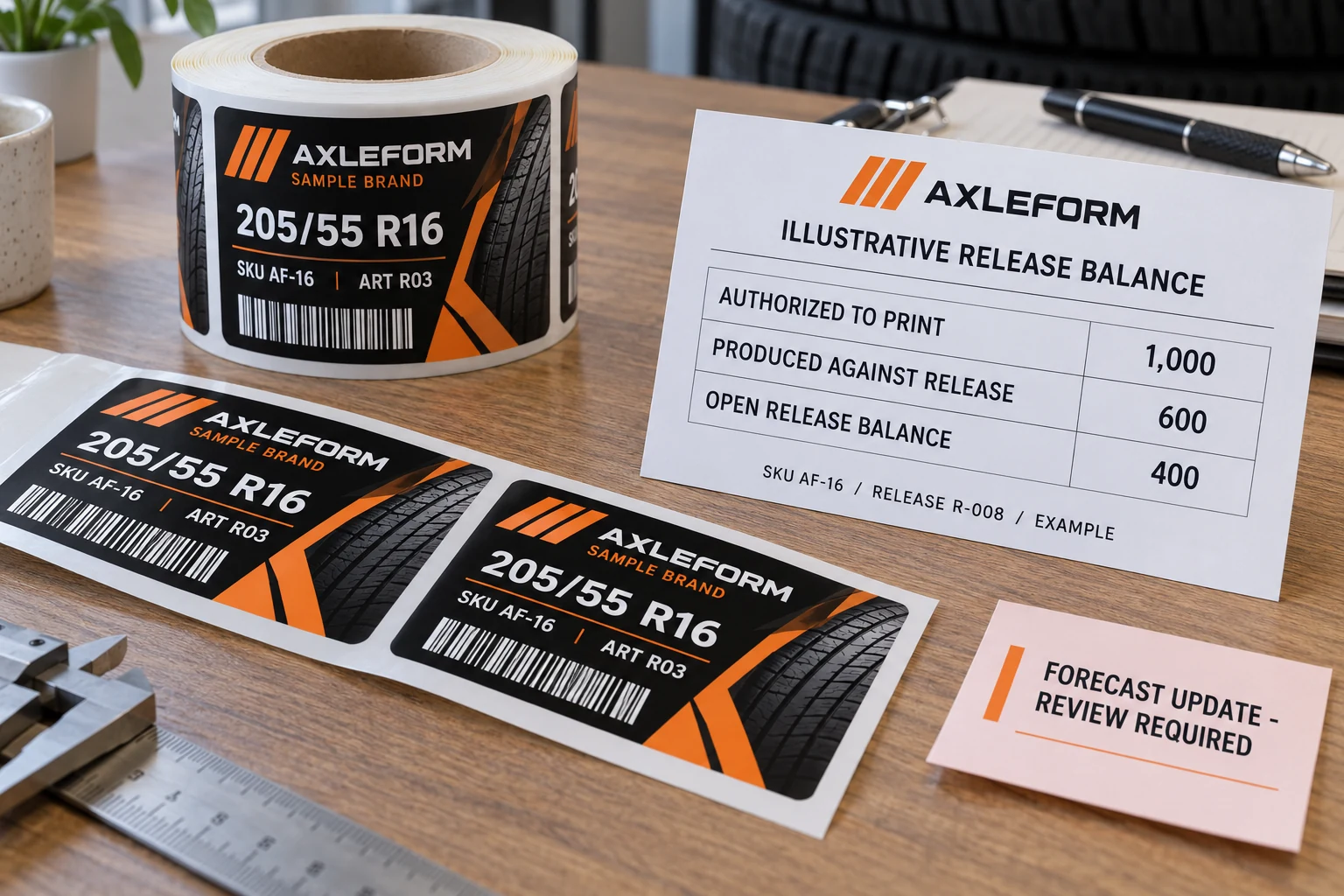
Suppose the planning forecast is 5,000 labels of fictional SKU AF-16. Release R-008 authorizes 1,000 against artwork R03. The supplier records 600 produced against that release. In this deliberately simplified example, 400 remain open for production under R-008.
The 5,000 forecast is not an additional line to add to the released 1,000. The 600 produced are not automatically 600 delivered, accepted or applied. Those are separate events, and each matters if the buyer is deciding the next instruction.
| Record | Illustrative value | What it does not establish alone |
|---|---|---|
| Planning forecast | 5,000 labels | An agreed instruction to manufacture all 5,000 |
| Production release R-008 | 1,000 labels | That all released labels have been produced |
| Produced against R-008 | 600 labels | Dispatch, receipt or use by the buyer |
| Open release balance | 400 labels | A fresh additional requirement above the original 1,000 |
The example assumes no previously agreed adjustments. Actual counting, allowable variations and change handling must follow the parties' agreed process. It is not a supply promise, contractual interpretation or standard commercial term.
When the forecast changes, locate the work first
A lower forecast can arrive after raw materials have been discussed, a release has been issued or finished labels already exist. Those situations need different conversations. First establish the current work status against the specific release: not started, in progress, produced, dispatched or received.
Then identify what the buyer wants changed and obtain the appropriate acknowledgement. Avoid replacing an entire order file without explaining which release and balance are affected. This guide does not say that a buyer can cancel work or that a supplier must accept a change; it recommends a record that makes the request unambiguous.
If artwork R04 is introduced while R03 stock exists, record both the quantity decision and the version decision. Do not assume that a smaller forecast invalidates the old artwork, or that a new artwork proof automatically disposes of existing stock. Keep those approvals connected while showing their separate purposes.
Decide whether staged supply actually helps
For a stable SKU, a fully approved quantity and suitable storage, one production and delivery arrangement may be easier to manage. Splitting it into repeated releases adds records and coordination. A staged approach deserves consideration when real demand timing, storage or data changes justify that work and the supplier confirms a workable arrangement.
Compare the same finished-label specification, quantities and delivery assumptions. Ask about any effect on production setup, packaging, storage responsibility and shipping before choosing a format. No universal saving, minimum call-off quantity or delivery interval follows from the word forecast.
For custom tire labels, a useful comparison sheet places the release basis beside the specification and quantity. I would rather clarify one production-authority field before printing than ask receiving to reconstruct intent from several attachments later.
Discussing staged tire-label supply? Prepare a release brief with the SKU and approved artwork, total planning quantity, quantity proposed for the current production release, requested deliveries, roll specification and named approval route. Use the contact page to organize the requirements, then send the supporting schedule through the existing email or WhatsApp path for a project-specific discussion.