OSHA: Emergency-Stop Button Interpretation
Primary US interpretation illustrating that control and safety details are owner responsibilities.
View detailsResource Guide
A faded START label is a small purchase until the new sticker points at the wrong control. Treat button legends as an approved equipment map, not a freehand design exercise.
Published 2026-10-03
Digital proof before production. Material and adhesive options are discussed according to your application requirements.
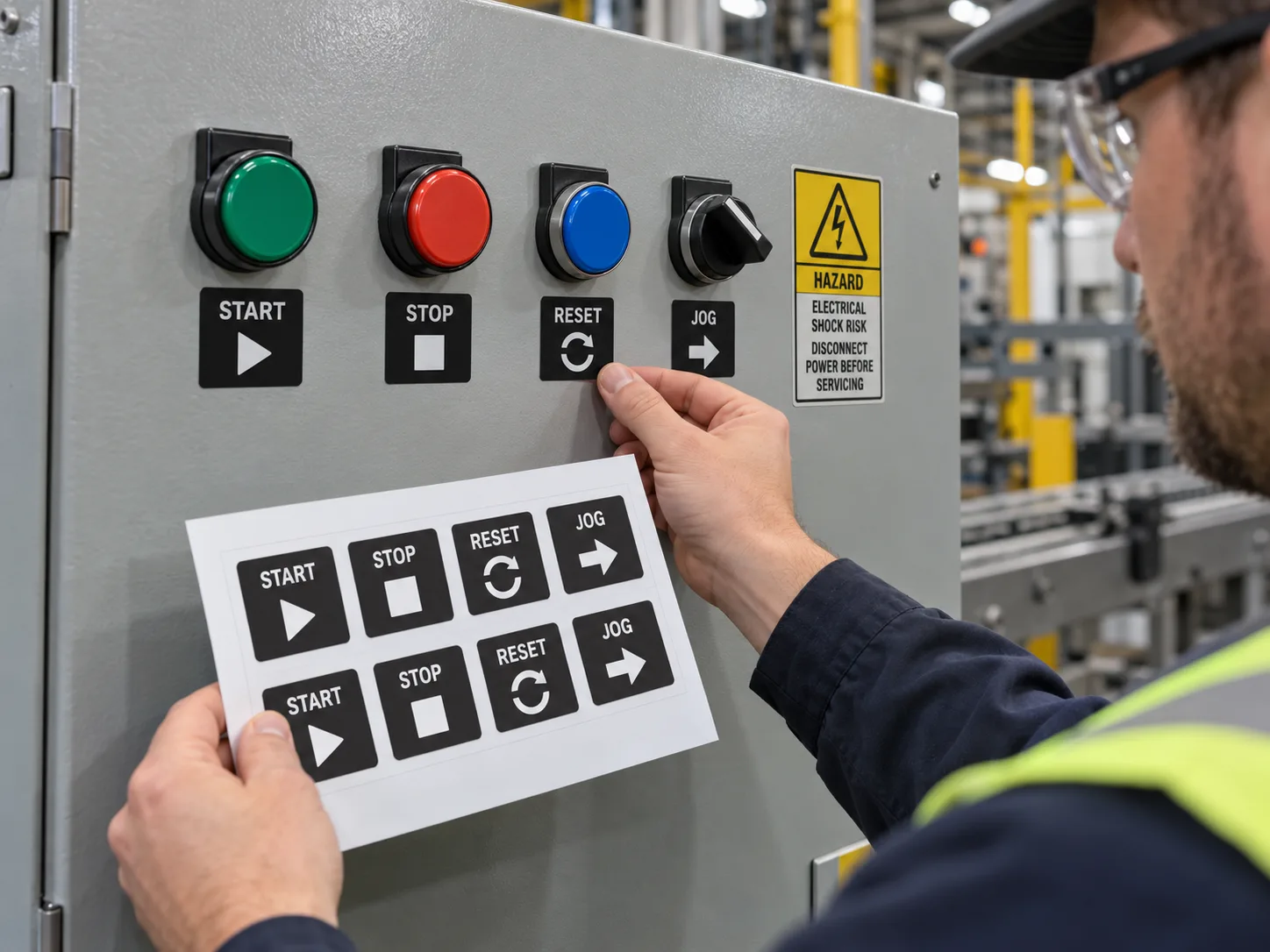
Collect an owner-approved panel drawing or clear photos showing every button, selector and indicator in its installed position. Give each legend a unique position ID before changing typography or material. A control legend identifies a function; it does not replace a safety warning, emergency-stop design or the machine operating procedure. OSHA has specific US requirements for emergency stopping controls in covered situations; the responsible equipment and safety team must approve any work near those controls. Do not infer a function from button color alone.
Primary US interpretation illustrating that control and safety details are owner responsibilities.
View detailsImagine a panel with START, STOP, RESET and JOG. The original JOG legend has peeled away. A buyer sends a cropped image and asks for four new stickers. This is an illustrative scenario, not a customer incident. The crop hides a second JOG control on the side panel. The job now needs a full-panel photo, position map and approver, not merely a new font. A sticker printed perfectly for the wrong switch is still wrong.
Assign a stable identifier to each physical location, such as PANEL-A / ROW-1 / POSITION-3, and pair it with the approved words, symbols and language. Check directional symbols from the normal operator viewpoint. If a selector has several states, show the state labels in their actual order. Reserve sufficient contrast for shop lighting and cleaning. Do not place a new legend over a manufacturer warning or rating plate. Approve a full panel proof with every label shown at its installed size.
A smooth indoor cabinet and a frequently washed machine panel do not need identical constructions. Give the supplier the actual panel finish, cleaners, abrasion points and intended replacement process. A small sample under the operator lighting is more useful than a claim of general durability. If legends must be replaced during future repairs, keep the artwork and panel revision retrievable so an old symbol cannot quietly return. Safety content needs its own approval route.
Supply complete front and side panel photos, approved control matrix, finished label dimensions, exact text and symbols, language versions, quantities, substrate, cleaning method and install responsibility. Ask for one assembled proof or sample set on a representative panel before bulk production. The print supplier can make the controls readable; the equipment owner must verify that the labels describe the machine accurately.
FAQ
A photo is useful for placement, but the equipment owner should confirm the current function, text and panel revision before printing.
No. Function labels and safety warnings have different purposes and approval responsibilities.