Equipment and Machinery Labels
Discuss custom replacement layouts and the actual machine surface.
View detailsResource Guide
An old machine label needs more than a visual copy. Recover approved information, check the surface and separate verified data from unreadable fields.
Published 2026-09-27
Digital proof before production. Material and adhesive options are discussed according to your application requirements.
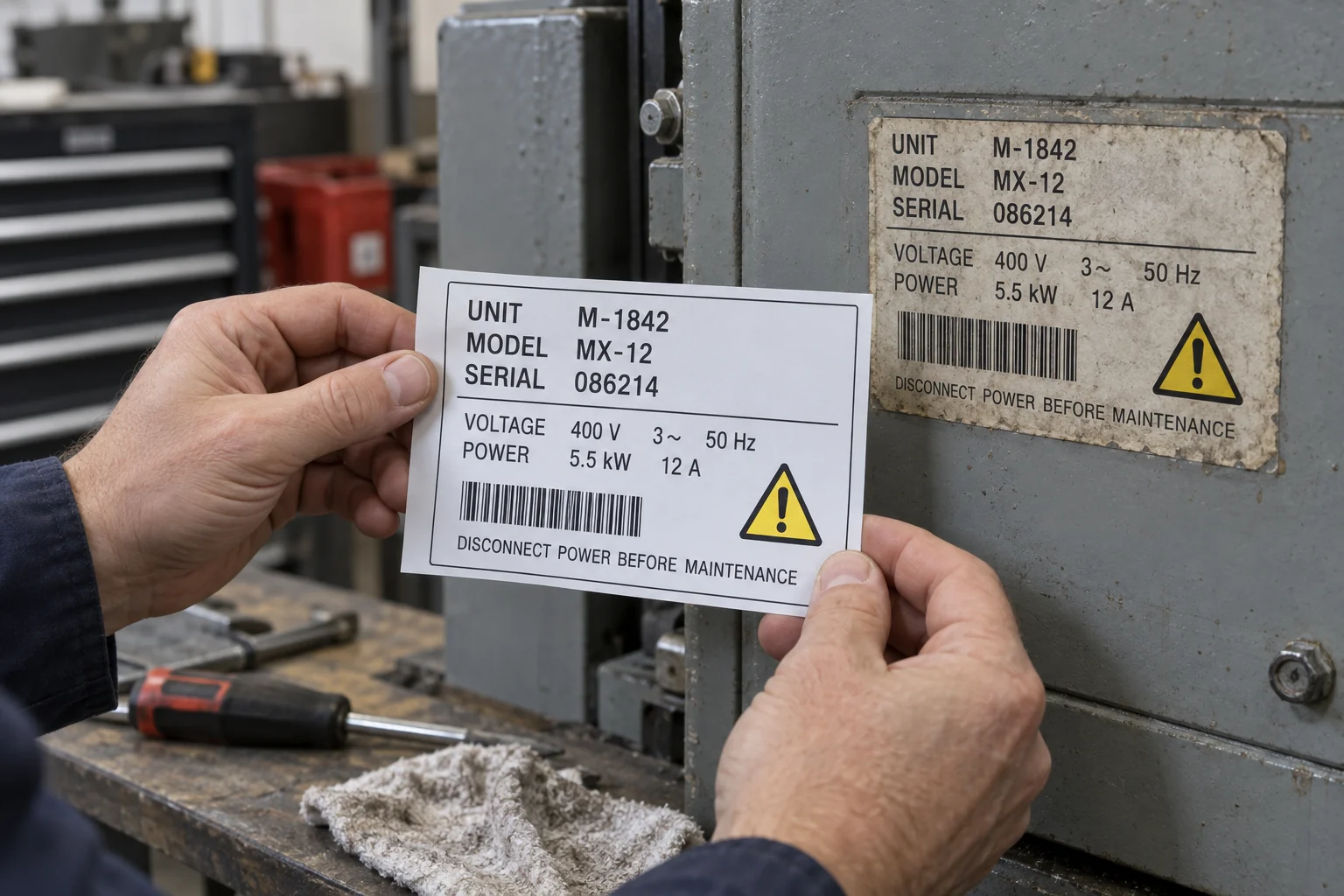
Photograph the old label, identify the equipment and recover approved content from the owner, manufacturer or reliable machine records. Mark uncertain fields instead of guessing. Confirm whether the replacement is an identification label, a safety instruction, an internal asset sticker or a combination. Only then prepare a finished-size proof and select the construction for the actual surface. A new-looking sticker with the wrong rating or serial number is worse than an obvious gap waiting for confirmation.
Consider a maintenance team dealing with a faded label. The model can be read; the last serial digits cannot. A nearby machine looks identical and has a clean sticker. Copying it feels efficient until someone notices that the power rating or revision differs. This is an illustrative scene, not a customer history. Its lesson is simple: visual resemblance is not authority. Record which fields came from the original, which came from machine documentation and which still need an owner decision.
A replacement project moves faster when nobody has to interpret a blurred photo during proof approval. Create a field list and assign a reviewer. Keep an internal asset number distinct from a manufacturer serial number, even when both identify the same physical machine. A scan destination also needs an owner: reproducing a QR pattern from a photograph does not establish that the linked record still exists.
Normal warning symbols, structured rating fields and readable codes belong on functional machinery labels. Removing them merely to make the design generic can strip away the information the operator needs. At the same time, a printing supplier should not invent a missing certification mark, technical rating or manufacturer identity. Reproduce owner-approved content with the necessary authorization and documentation. If the job is simply a new internal asset sticker, present it as that rather than disguising it as an original manufacturer nameplate.
Inspect the actual application area for old adhesive, damaged paint, oil, texture and curvature. Agree a safe preparation procedure with the equipment owner; a solvent that removes residue may also affect a coating. Compare the replacement at full size and in its intended position. Review the data against the approved field list, not only against the old photo. Keep the approval revision and a small reference record so the next replacement does not restart from another blurry image. An original replacement from the equipment manufacturer may be preferable where proprietary plates or safety-critical information need authoritative supply.
Cover image: AI-generated comparison of an old label and a replacement proof. All machine fields are fictional examples, not specifications for a real machine.
Send equipment identity, clear photos, verified field content, label dimensions, surface details and use conditions. State who can approve the technical text. These related guides address layout and material choices once the information is settled.
Discuss custom replacement layouts and the actual machine surface.
View detailsPlan small text and serial information without losing readability.
View detailsKeep approvals and revisions traceable for repeat orders.
View detailsFAQ
A clear photograph can support artwork reconstruction. Unreadable or technical fields still require approved source information, and the buyer must be authorized to reproduce the content.
Do not treat a similar-looking machine as confirmation. Obtain the correct records or manufacturer confirmation for the specific equipment.
Yes, where they are part of the approved functional content. Keep their meaning and readable placement; do not replace essential warnings with decorative or blank fields.