Grundfos Pump Instructions
Manufacturer example of checking rotation against an equipment arrow; follow the actual machine documentation.
View detailsResource Guide
A curved arrow looks simple until somebody asks: clockwise from which end? The artwork should be the last decision, after the machine owner confirms the required view and direction.
Published 2026-10-04
Digital proof before production. Material and adhesive options are discussed according to your application requirements.
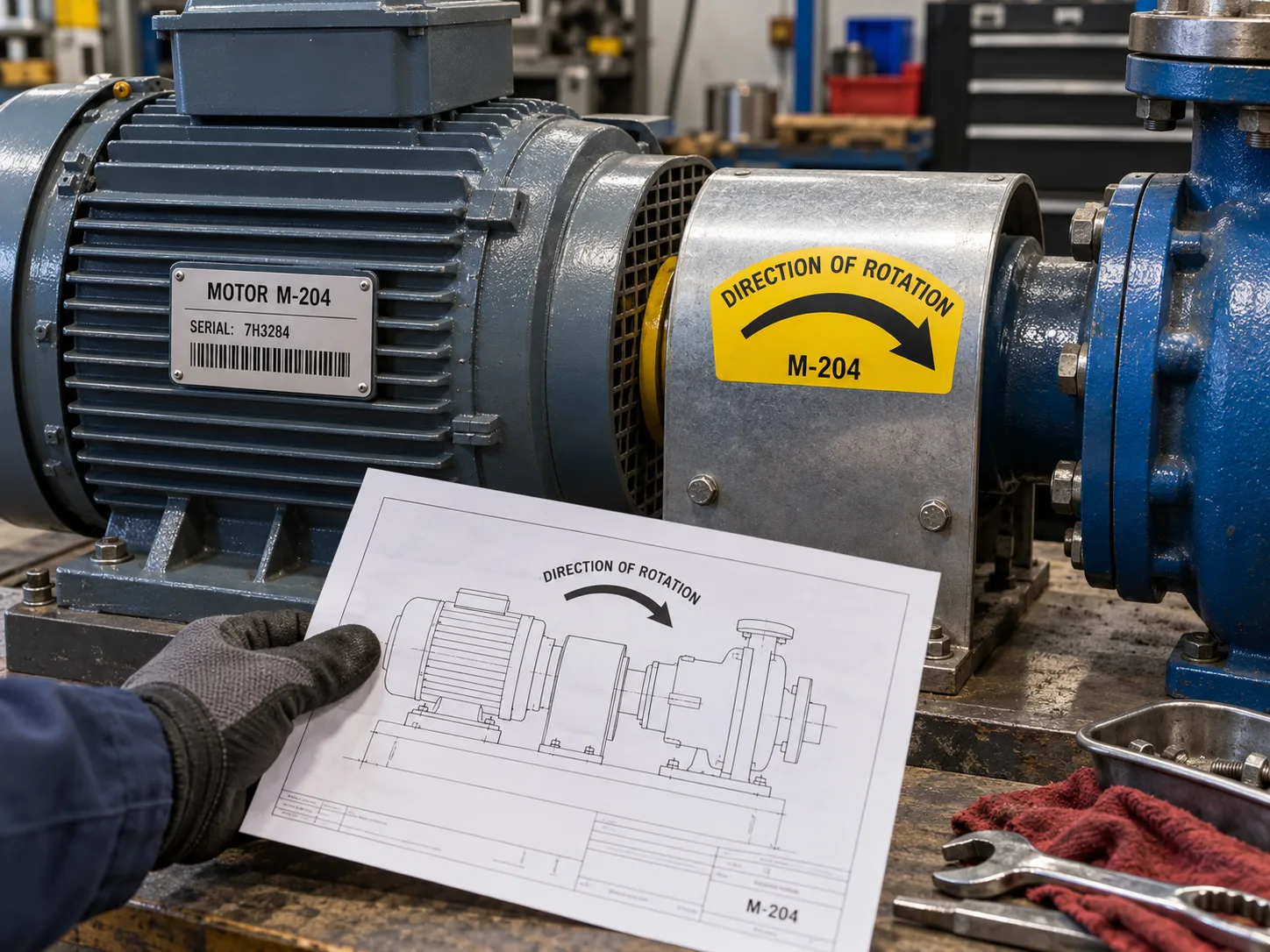
Ask for the equipment model, manufacturer drawing or approved maintenance instruction that defines direction from a specific viewpoint. Then choose the arrow orientation and exact placement on the installed machine. A generic clockwise graphic copied from another pump can be wrong when viewed from the opposite end. A manufacturer instruction may specify where its own direction arrow is located and how rotation is checked; that method applies to that equipment, not every motor or this site labels.
Manufacturer example of checking rotation against an equipment arrow; follow the actual machine documentation.
View detailsImagine a pump guard removed for service and repainted. The original directional decal is missing. A purchaser sends a photograph taken from the drive end and asks for a clockwise arrow. This is a composite scene, not an incident report. The technician who reinstalls the guard may view it from the pump end. Before printing, put the approved arrow on an installed-view photograph and ask the machine owner to sign off. The design file alone cannot tell which view the word clockwise assumes.
A motor asset label identifies the unit and serial record. A rotation arrow communicates an operational direction. They may sit near each other but should not be merged so tightly that a replacement asset ID accidentally changes the arrow. Keep existing manufacturer plates, guards, warnings and service access clear. If the direction label is placed on a removable guard, document how it remains paired with the right machine after maintenance.
Describe whether the label goes on painted metal, powder coat, bare metal or a textured guard. Send a close photograph after cleaning, plus expected oil, heat, water and abrasion exposure. Request a finished-size sample and view it from the operator position. The buyer should approve arrow direction, size, contrast and location; material performance requires the selected construction to be evaluated on the actual surface.
Provide the machine model, approved direction reference, quantity by variant, installation photo, arrow dimensions, color, material environment and whether the label replaces an existing marking. Do not ask a label printer to determine safe rotation from a picture. The printer can reproduce an approved arrow clearly; commissioning and operational verification remain with qualified personnel following the machine instructions.
FAQ
No. The machine owner must specify the reference viewpoint and approved direction; the printer should reproduce and proof it.
Not unless the approved machine documentation and plate explicitly provide that information at the read point.