Control Panel Overlay Cutouts: Measure From One Datum
Published
The replacement overlay has the correct outside dimensions, yet one opening sits slightly away from the control beneath it. The drawing was assembled from separate measurements and a photograph. Each dimension looked reasonable on its own; their reference points were not the same.
Approve a consistent drawing reference before ordering the cut overlay. Identify the datum, viewing side, units and feature locations, then review a suitable physical fit sample against the actual panel. Outside width and height do not define the positions of every hole and window.
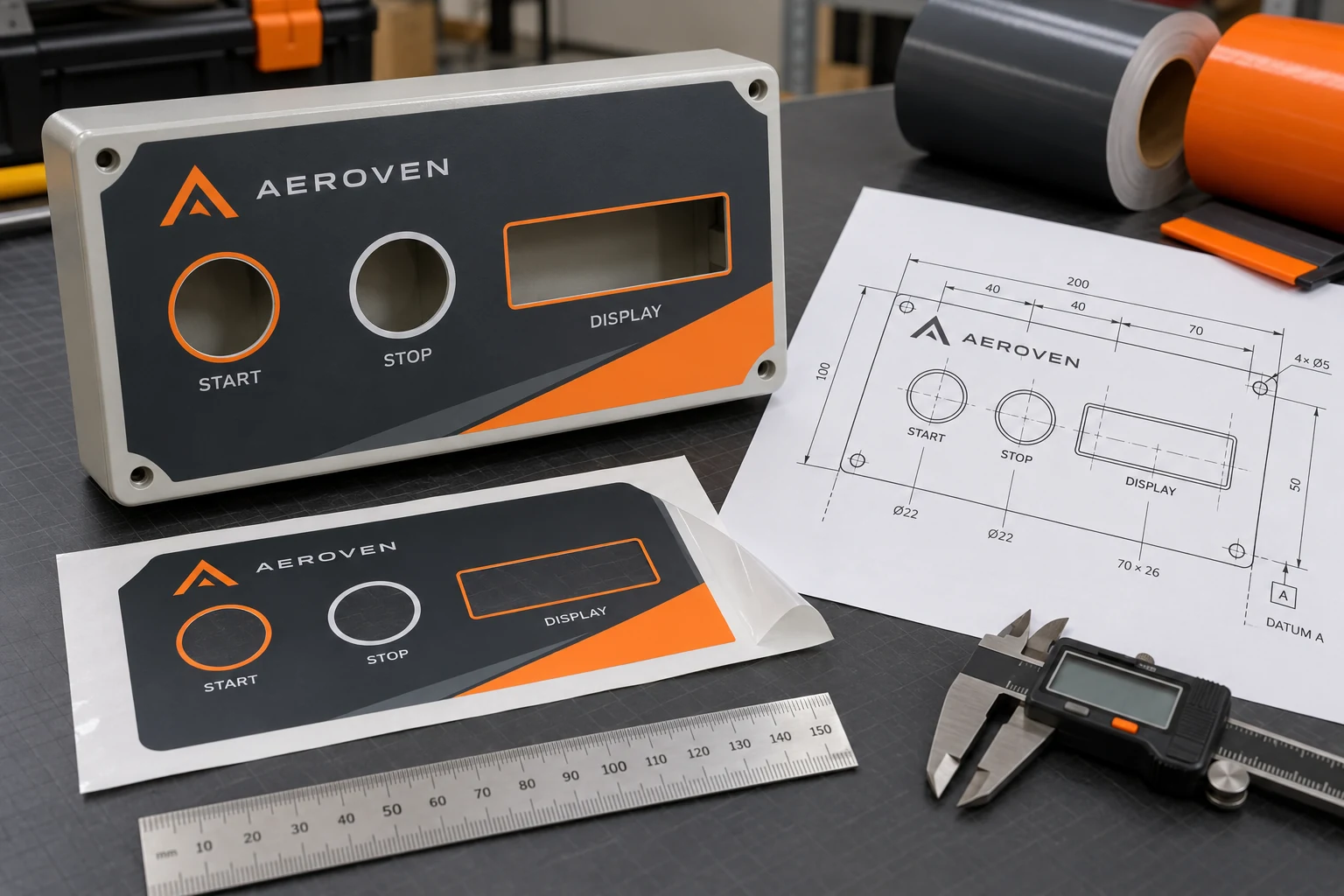
Decide which surface the drawing represents
Identify the panel model or controlled drawing reference and the side from which it is viewed. Show the intended orientation clearly. A rear view and a front view can mirror feature positions while both look plausible to someone handling a loose label.
Record whether dimensions describe the panel opening, finished overlay cutout or printed graphic boundary. Those are related features, but they need not be identical. The equipment owner should define the required fit and clearance; the label supplier should not infer them from a phone photograph.
Photographs are useful context for controls, windows and placement. Perspective and scale make them an uncertain substitute for a controlled dimensional drawing. Use them to locate the feature, then obtain the dimensions and acceptance criteria from the responsible owner.
Use a common reference for feature locations
Ask the drawing owner to establish the reference system appropriate to the part. Identify the origin and directions so feature positions are reproducible. Avoid a mixture of measurements from the left edge, a nearby button and a decorative border unless the drawing deliberately defines those relationships.
A datum-based coordinate table can make the handoff easier to review. It does not require the purchaser to invent engineering tolerances. The responsible technical owner should provide those requirements and approve any interpretation needed by the converter.
The button-legend guide covers the relationship between wording and controls. Cutout review adds the physical geometry that lets an overlay align with those approved control locations.
Give each feature its own identity
| Feature field | What to specify | Why it belongs in the handoff |
|---|---|---|
| Feature reference | Unique hole or window identifier | Links comments to one location |
| Position | Coordinates from the stated datum | Avoids ambiguous local measurements |
| Shape and size | Approved finished-cut definition | Separates geometry from appearance |
| Viewing side | Front or other explicitly marked view | Prevents mirrored interpretation |
| Print relationship | Legend or graphic aligned to the feature | Connects wording with the intended control |
| Acceptance requirement | Owner-supplied criteria | Defines the physical review |
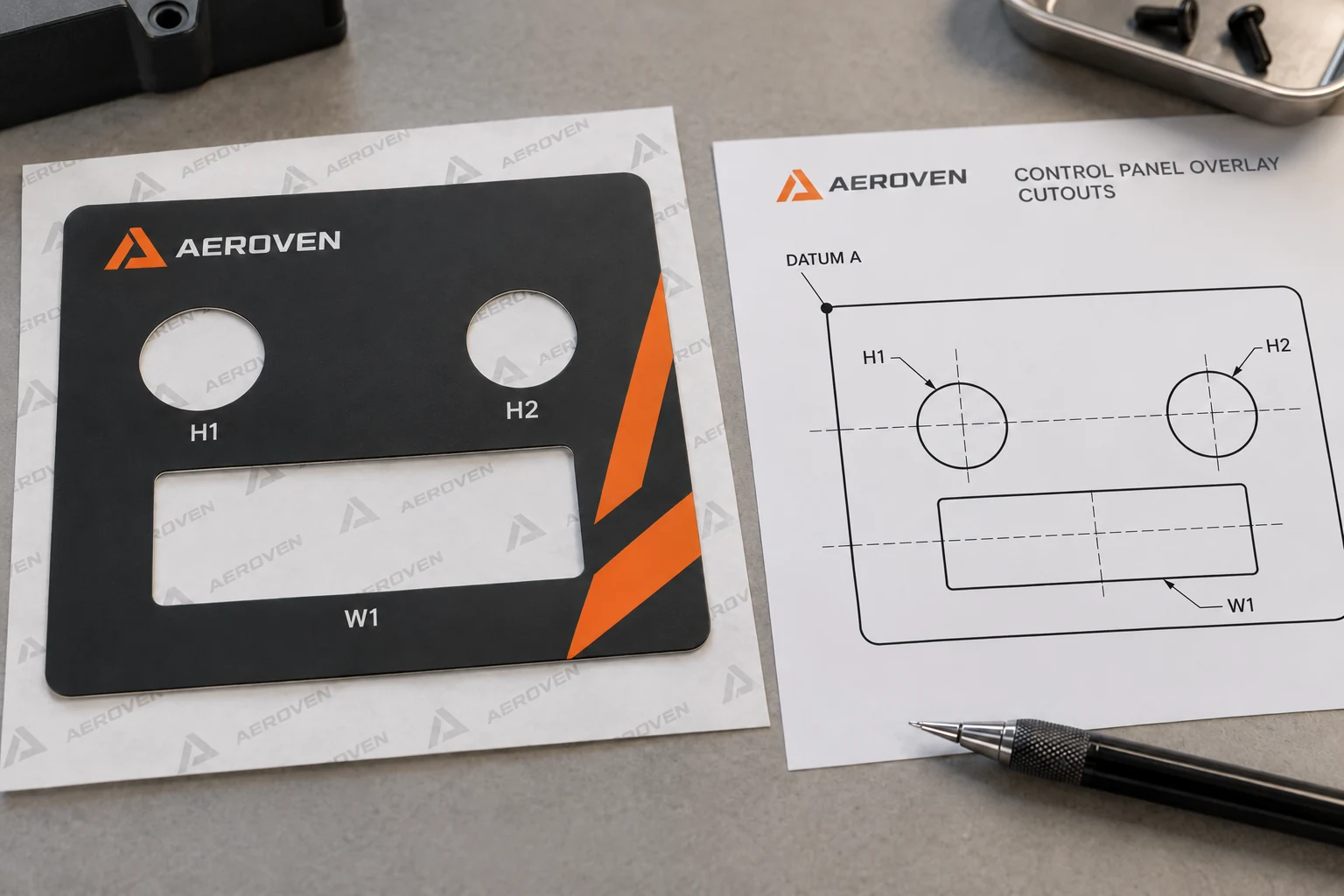
Keep the units visible and consistent. If the source drawing uses a different unit system from the production drawing, have the technical owner confirm the conversion and resulting dimensions. Do not mix rounded values from several versions.
Review the print and cut layers together
Correct holes do not guarantee correct legends. Overlay the intended printed artwork with the cut geometry in a controlled proof. Check that the words, windows and control positions refer to the same equipment version.
If a designer moves a legend for visual balance, confirm it still identifies the intended control. If the converter proposes a geometry adjustment, review the affected print relationships as well. Neither layer should change independently without the appropriate approval.
Preserve the exact source files used for the combined proof. An exported PDF can support review, but the production handoff should identify the approved geometry and artwork revisions rather than relying on a single screenshot of them together.
Fit-check without operating the equipment
Use the owner's approved safe method for a physical fit review, such as a suitable non-operational panel or controlled sample arrangement. This guide does not instruct staff to remove guards, open energized equipment or manipulate controls during inspection.
Confirm the sample's scale before using it to judge fit. A reduced paper proof can make a correct drawing appear wrong. Where the final construction affects installation or appearance, obtain an appropriate finished sample rather than treating paper alone as qualification.
Record alignment at each relevant feature, outside boundaries and readable legends. A photograph of the whole panel is helpful, but individual observations make a mismatch easier to resolve. Use the owner's acceptance requirements rather than approving an opening because it looks close enough.
Retain the existing geometry when it is controlled
If the original approved drawing and tooling references remain valid for the same panel, retaining them can be preferable to reverse-engineering a worn overlay. Confirm the equipment version and proposed construction before relying on that history.
If the panel has changed, do not reuse a familiar overlay merely because the outside dimensions match. Compare the feature table and print relationships. A small control relocation can be more important than a large decorative change.
Where only the printed legend needs correction and the cut geometry remains approved, limit the change to that scope. A complete redesign may introduce unnecessary dimensional risk. Keep the final combined proof so the unchanged geometry is still visible in the approval.
For electrical and electronics labels, prepare an overlay drawing brief with the controlled panel reference, datum-based feature table, viewing side, artwork, construction requirements, fit-review criteria and quantity. Organize the requirements on the contact page and send supporting files through email or WhatsApp. The most useful starting point is one drawing that every reviewer measures from the same place.