Industrial Barcode & QR Code Labels
For product, equipment, warehouse and traceability code layouts.
View detailsResource Guide
The right QR code label size depends on the scanner, reading distance, equipment surface and the maintenance task, not just on how much empty space is left in the artwork.
Published 2026-09-25
Digital proof before production. Material and adhesive options are discussed according to your application requirements.
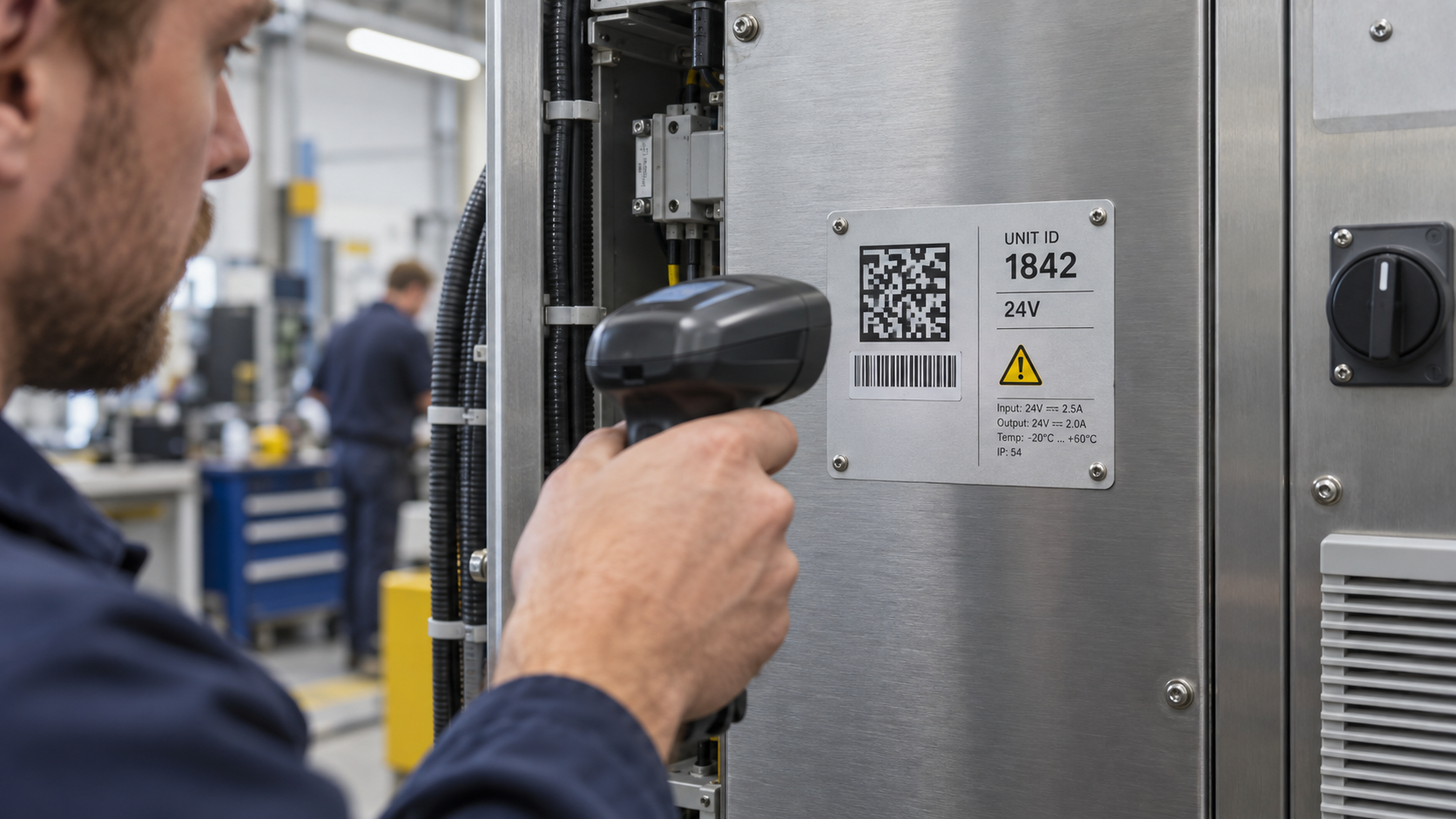
Before asking how large a QR label should be, define the actual scan moment. Is a technician standing close to an open panel, reaching into a tight machine area, or scanning a tag from the floor? Is the code only an identifier, or does the same label also need a serial number, warning symbol and human-readable data? The code should make the job easier at the equipment, not become a tiny decorative square that nobody can use when wearing gloves.
In a composite equipment rollout, the QR code looks generous on a computer monitor and scans when a coordinator holds the sample under office light. On the factory floor, the label is placed beside a hinge and the maintenance worker must angle a handheld scanner around a cable tray. The code is still present, but the workflow has changed. The better brief records the intended user, scanner, placement angle and reading distance before the layout is finalized.
A QR field needs room around it and a position that is not constantly blocked by a handle, seam, cable or abrasion point. The label also needs to serve the person who cannot scan: a visible equipment ID, asset number or short human-readable field can prevent a small delay from turning into a maintenance detour.
A rendered QR pattern can look crisp on screen while the finished label is too small, placed on a curve or hidden by a panel edge. In the proof, check the physical finished size, quiet visual area, nearby text and actual reading orientation. For a critical maintenance workflow, discuss a representative sample and the buyer-owned scan process instead of treating a PDF as a scan result.
FAQ
There is no single size for every project. Start with the code data, intended scanner, reading distance, physical placement and finished label dimensions.
Yes. A useful layout often includes human-readable identification alongside the code, provided both areas remain clear at the finished size.
The buyer should confirm the final data destination and scanning process. Provide those requirements so label layout and physical placement can be discussed.