The Tire Barcode Is Correct, but the Receiving Field Is Wrong
Published
The approved tire code is AX-72. A scan enters a different string, advances to the next field, or submits the form before the operator has checked it. Reprinting AX-72 more clearly may change nothing: the unwanted behavior can occur after the symbol has already been decoded.
Compare three things separately: the approved payload, the captured data before the application's business rules, and the value finally stored in the receiving record. Keep the original label while the system owner locates the transformation. Do not change product identifiers to compensate for an unexplained scanner setting.
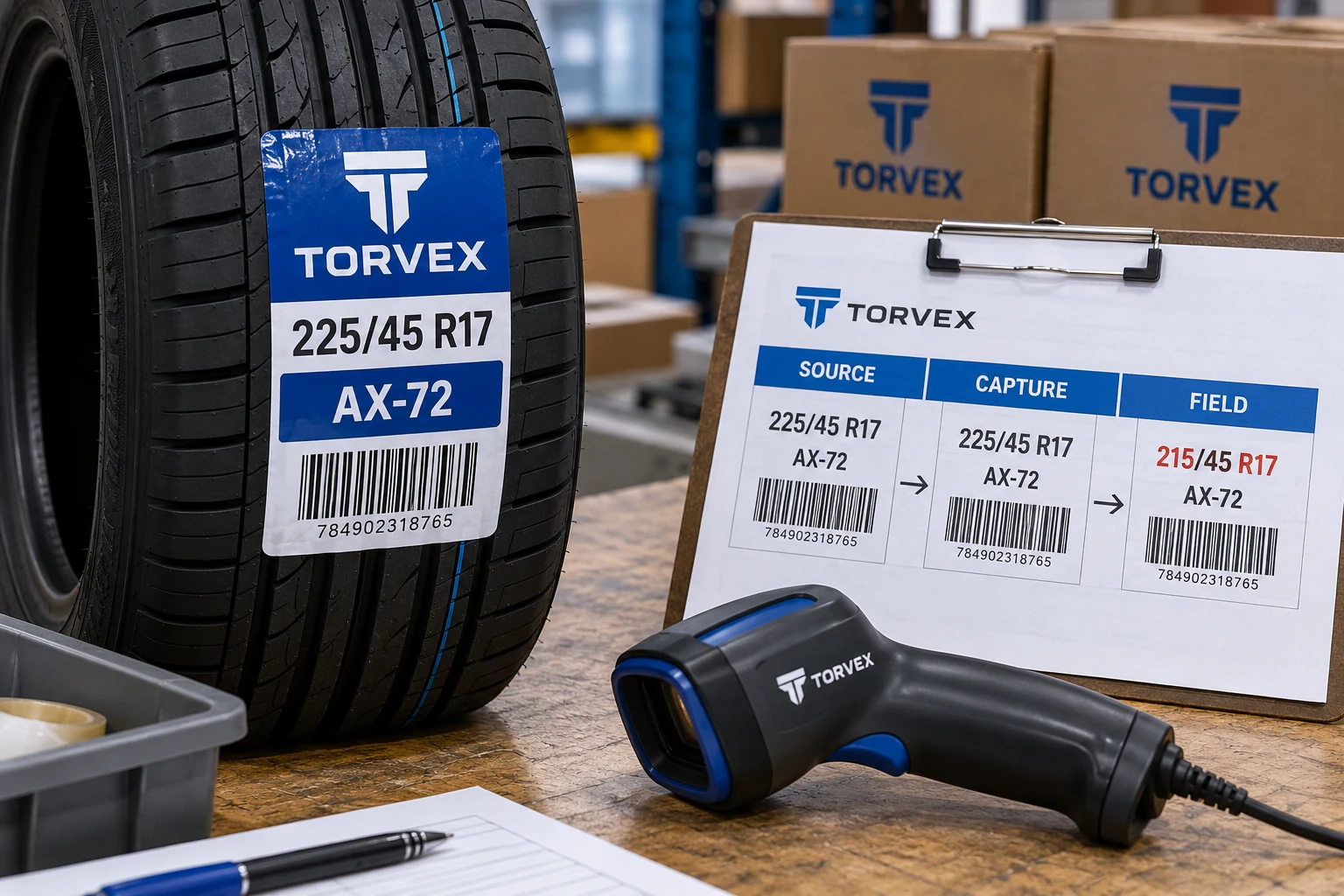
Start with an observation that someone else can reproduce
Record the label sample, intended code, scanner model, active profile and receiving screen. Note which field had focus and exactly what happened after the scan. A screenshot of the final field is useful, but it may hide a control character or a cursor movement.
Ask the authorized technical owner to capture the data through an appropriate diagnostic route. Do not experiment on a live receiving transaction that can create stock movements. Use a test environment or an owner-approved method that preserves the observed string and any relevant keystrokes without committing an unintended action.
The key distinction is between a wrong decoded value and a correct value handled incorrectly afterward. Both can look like a bad barcode to the person at the dock. Only one necessarily requires changing the printed data or symbol.
Prefixes and suffixes can be deliberate
Zebra's Basic Data Formatting documentation describes adding prefixes, suffixes, TAB and ENTER behavior before passing captured data onward. That is a specific documented capability, not evidence that every device uses those settings or that they are responsible for your symptom.
A prefix may identify a code category. An ENTER action may deliberately complete a field. The same behavior can be useful in one application and disruptive in another. An instruction to remove all added characters would therefore be too broad.
Have the owner compare the active configuration with the application's input contract. If the station changed tasks, check whether it is still using a profile intended for the old workflow. Keep the change record scoped to that station and application; avoid altering shared devices without understanding their other uses.
Make the data path visible
Use a comparison sheet that preserves exact values rather than paraphrasing them as looks correct.
| Stage | Record | Decision it supports |
|---|---|---|
| Approved source | Exact authorized tire identifier and carrier | What should the label contain? |
| Printed sample | Sample reference and decoded content | Does this symbol represent the approved data? |
| Scanner output | Captured string and relevant control behavior | Was data added, removed or transformed? |
| Application input | Active field and accepted value | Did the correct field receive it? |
| Stored transaction | Product record and transaction outcome | Did the operation use the right tire identity? |
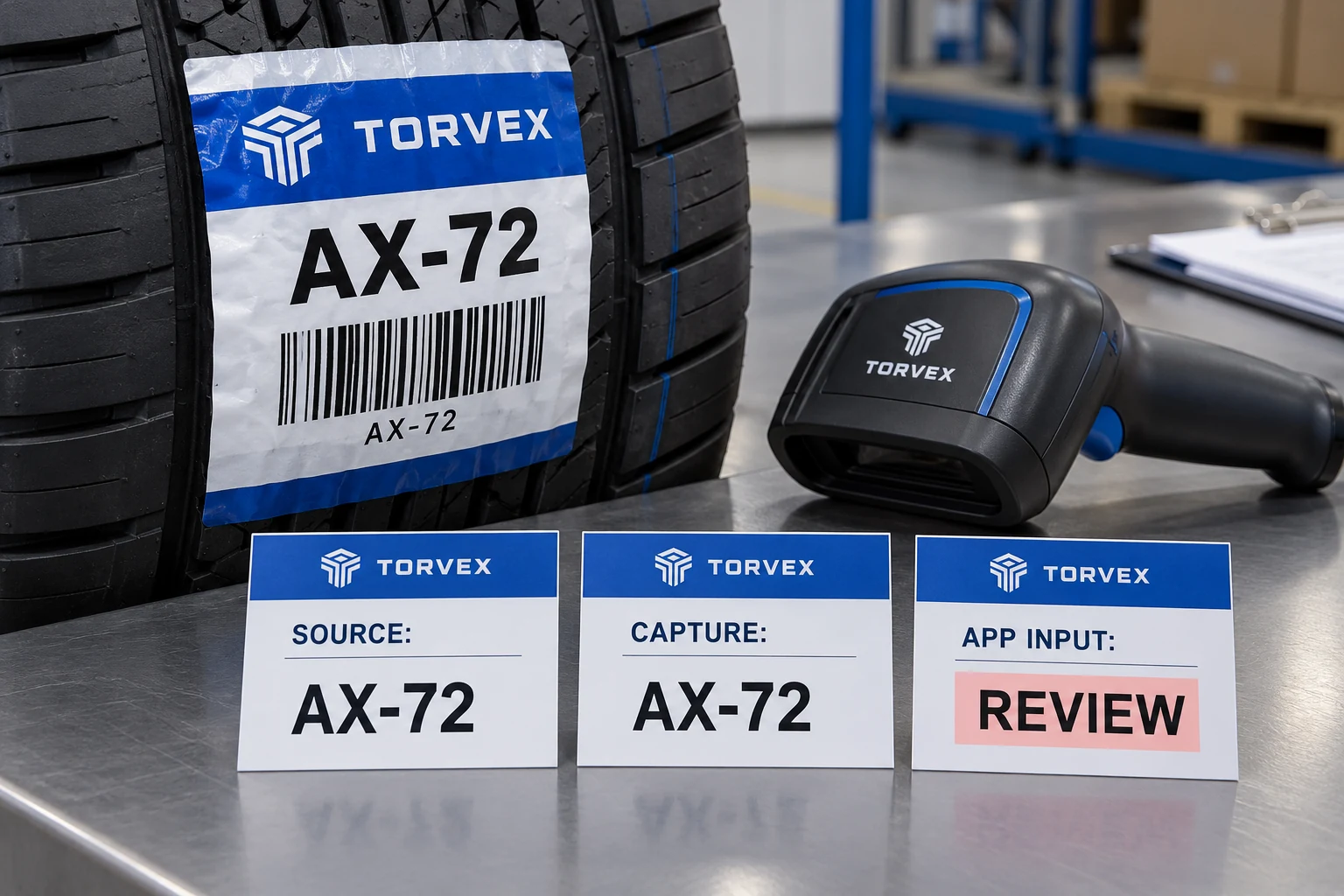
For an illustrative AX-72 example, distinguish the literal code from a displayed prefix and from a subsequent ENTER key. Do not assume a visible annotation on a diagnostic screen is itself part of the encoded content. Have the technical owner interpret the capture format.
Test the boundary cases in the actual job
Use approved sample records that expose the problem. Include relevant leading zeros, punctuation and field lengths. Do not invent a new identifier merely because it is convenient to type. Where the job uses a structured barcode standard, keep its data interpretation under the responsible owner's control.
Run each witness record through the same authorized test path. Compare the stored result, not only the text displayed briefly before the form changes. A receiving application may format the visible field differently from its stored value; that distinction needs confirmation from the application owner.
Then repeat the intended normal workflow after the correction. A diagnostic text field can help reveal a transformation, but passing that field does not prove the production application now handles the scan correctly. The release evidence should include the actual task and correct product match.
Reprint only when the print is part of the fault
If the symbol contains the wrong approved data, correct the source-to-print process and review the affected stock. If the symbol contains the correct value and the scanner adds an unwanted suffix, resolve the configuration or application contract first. Printing a compensating code can create a label that works only with the defective setup.
There are cases where an application deliberately expects a different approved identifier. That requires a controlled data-mapping decision, not an invisible workaround. The tire data handoff guide explains why the printer should not become the accidental owner of product identity.
Retaining usable printed stock is often the economical outcome when the correction sits entirely in the capture path. Confirm that conclusion with representative output and the responsible owner; it should follow the evidence rather than a preference to avoid reprinting at any cost.
Leave a configuration reference with the release
Record the profile or configuration version, application version, sample set and acceptance result. Preserve the former setting where the owner's process allows it. A future device replacement should not require rediscovering why the station needs a particular suffix behavior.
Include a clear exception route for a scan that returns unexpected characters. Operators need a way to stop and report the observed value instead of editing the field until it appears plausible. Manual correction may be authorized in some workflows, but it should not hide a recurring capture fault.
For a tire barcode label project, prepare the source-to-field comparison with sample data, output observations, device details, label dimensions, applied tire photo and quantity. Send supporting records through the contact page's email or WhatsApp route after organizing the requirements. A precise capture record can prevent a print change that never addressed the problem.