GS1: Ten Steps to Barcode a Product
Official guidance distinguishes preprinted graphics from dynamic inline barcode data.
View detailsResource Guide
The label proof can look perfect while the wrong tire size is attached to the barcode. Before asking which software prints the sticker, decide who owns the product record, who creates the variable file and where the code is checked against a real tire.
Published 2026-10-07
Digital proof before production. Material and adhesive options are discussed according to your application requirements.
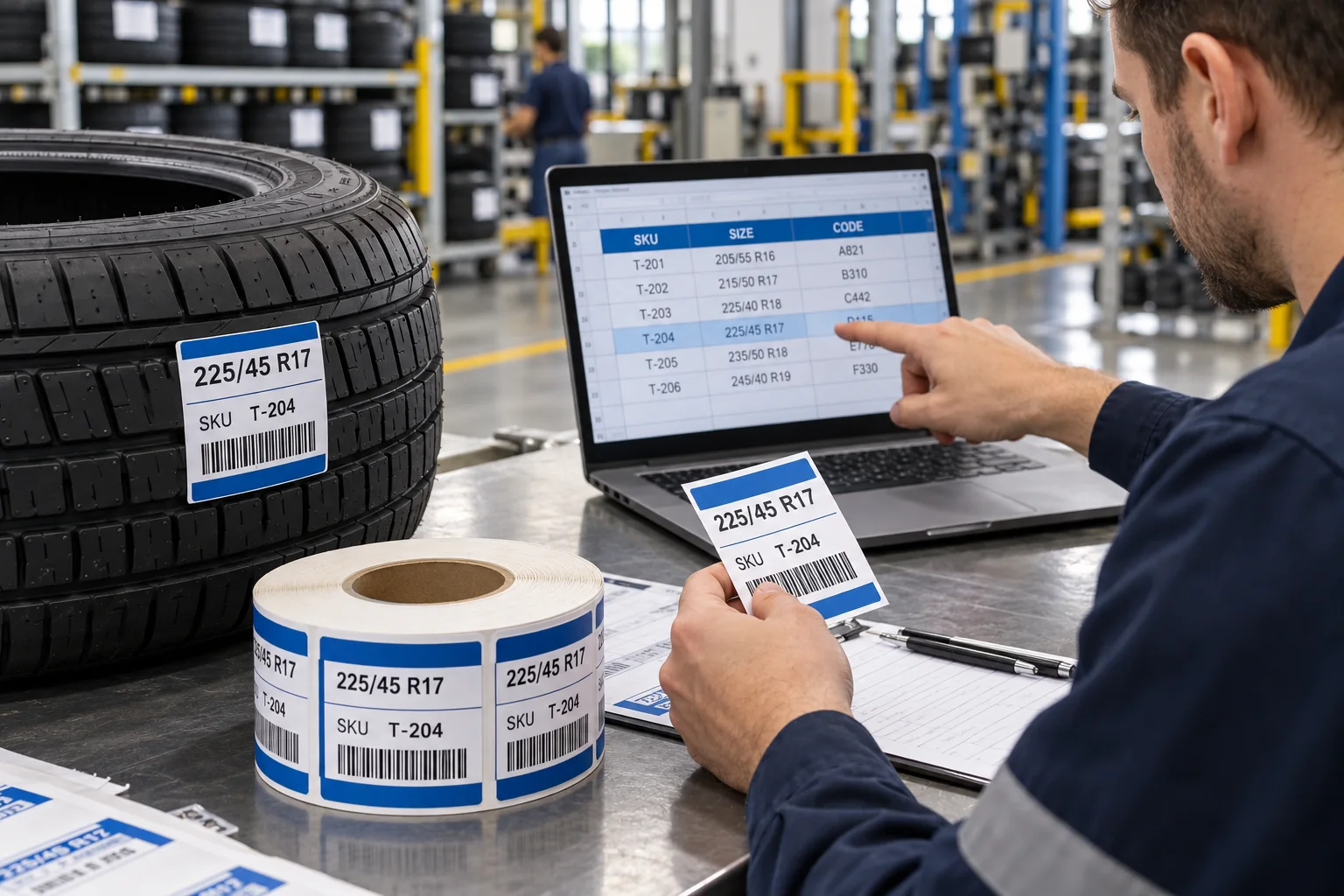
Software can generate and route print jobs; a label supplier can print approved artwork and variable values. Neither should silently decide what a buyer SKU or tire identifier means. Agree which system owns the tire size, product code, version, encoded value and human-readable text. GS1 describes a choice between preprinted graphics and dynamic data added during production, but the right workflow still depends on the data owner and application point.
Official guidance distinguishes preprinted graphics from dynamic inline barcode data.
View detailsImagine a spreadsheet row marked SKU T-204 and 225/45 R17. The artwork has the right blue header, but a later export feeds the neighboring tire size into the code field. This is a hypothetical proofing error, not a reported customer incident. A buyer who checks only the picture misses it; a buyer who compares the human-readable size, decoded value and approved source row catches the mismatch before a full roll is printed. The barcode artwork is the last mile of a data decision.
Preprinted rolls suit stable SKU and artwork combinations when quantities and changeovers are planned. On-demand printing can suit changing serial or order data, but the buyer then owns compatible media, ribbon if required, software templates, devices and on-line checks. A hybrid can print stable color graphics first and add variable data later, but it requires a clearly defined blank field and print registration. This site discusses custom printed labels; it does not claim to supply or integrate tire-label software.
Send a CSV or spreadsheet with one row per label or an unambiguous sequence rule. Preserve leading zeros, list the field order, state whether duplicates are allowed and identify the exact code type if your system requires one. Review first, middle and last records on a finished-size sample. Ask for roll labels that identify SKU, artwork revision, serial range and quantity when multiple runs will share a storeroom. A successful scan only proves a symbol can be read; compare the decoded value with the approved product record.
Share tire-size list, SKU count, artwork versions, print file, label dimensions, tread or other approved application surface, scanner type, roll configuration and who prints the variable portion. If you are replacing a software workflow, describe the failure that needs solving: wrong size, duplicate code, slow changeover or missing stock visibility. A label supplier can quote a defined printed deliverable; the system owner must approve IDs and data relationships.
FAQ
This site describes printed label projects and does not claim a software product or ERP integration. Send your data and workflow requirements for a printing discussion.
The buyer should define or approve the identifier scheme and data file. The printer can discuss production from that approved source.