Two Barcodes on a Tire Label: What If the Scanner Reads the Wrong One?
Published
The warehouse code scans. So does the information QR beside it. The problem begins when receiving accepts whichever symbol the operator happens to capture first. Making both symbols sharper will not tell the application which one belongs in the item field.
Keep two codes only when two distinct tasks justify them. Then define the accepted data for each task, make their purposes visible, and test what happens when the wrong code is presented. The release decision concerns code selection and application behavior, not simply whether both symbols decode.
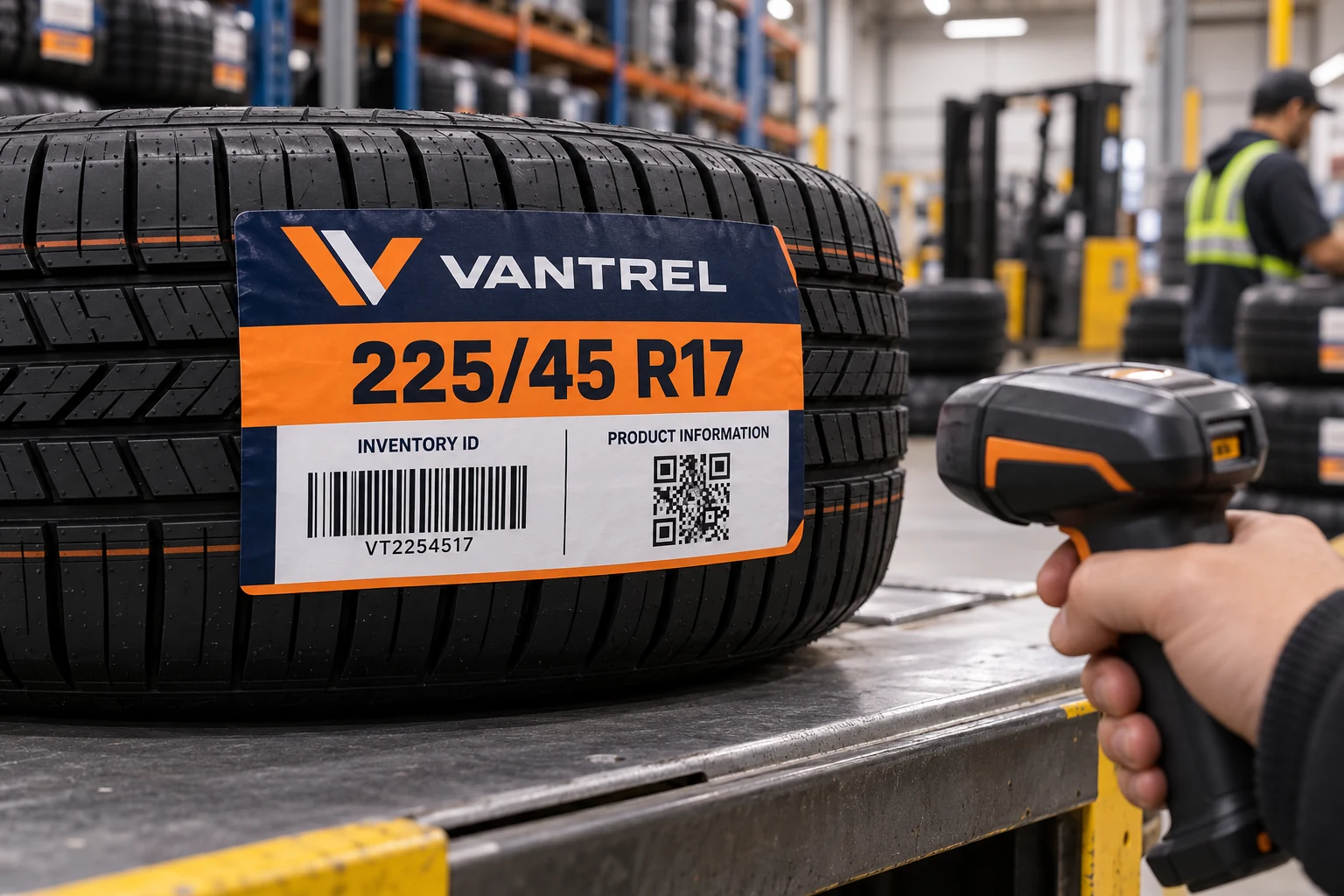
Name the transaction before rearranging the artwork
An illustrative tire label may carry an internal product barcode and a phone-accessible information QR. Receiving needs the approved product identifier. A sales visitor needs the product-information page. Those are different results even when both symbols refer to the same tire family.
Ask the warehouse-system owner to describe the receiving event precisely: which field is active, which identifier is expected, and what record should be returned. Ask the information-page owner what the second code opens. Keep the answers separate in the brief. The QR-versus-linear-code guide helps decide whether both tasks are needed in the first place.
If a code has no defined user or maintained destination, removing it may be more useful than finding room for it. Retain any information required by the responsible product owner; an unused marketing feature is a different matter from a mandatory label element.
Different shapes do not guarantee correct selection
People can distinguish a square symbol from a linear one, but the capture process still needs review. An imager may encounter more than one supported symbol within its field of view. The intended configuration, application validation and operator aiming behavior all affect the outcome.
Do not prescribe a universal scanner setting from a photograph. Have the device owner consult the actual model and software documentation. A decoder filter may help when the two jobs use different carriers. If both codes use the same carrier, carrier selection alone cannot distinguish their business purpose.
Readable headings can help a person aim: for example, Inventory ID and Product Information. They are not machine validation. The receiving application should have an owner-approved rule for determining whether the captured value is acceptable for the current task, including how an unknown or inappropriate value is handled.
Use a code-to-task table
Prepare the table before the designer moves either symbol. Use actual approved payloads in the controlled review pack; the following structure is a planning example.
| Review field | Inventory capture | Information access |
|---|---|---|
| Intended user | Receiving or picking staff | Approved information-page user |
| Expected result | Correct product record | Correct maintained page |
| Authorized data | Buyer-approved identifier | Owner-approved destination |
| Wrong-code response | Reject or route for review | Do not imply a stock transaction |
| Review owner | Warehouse-system owner | Content and destination owner |
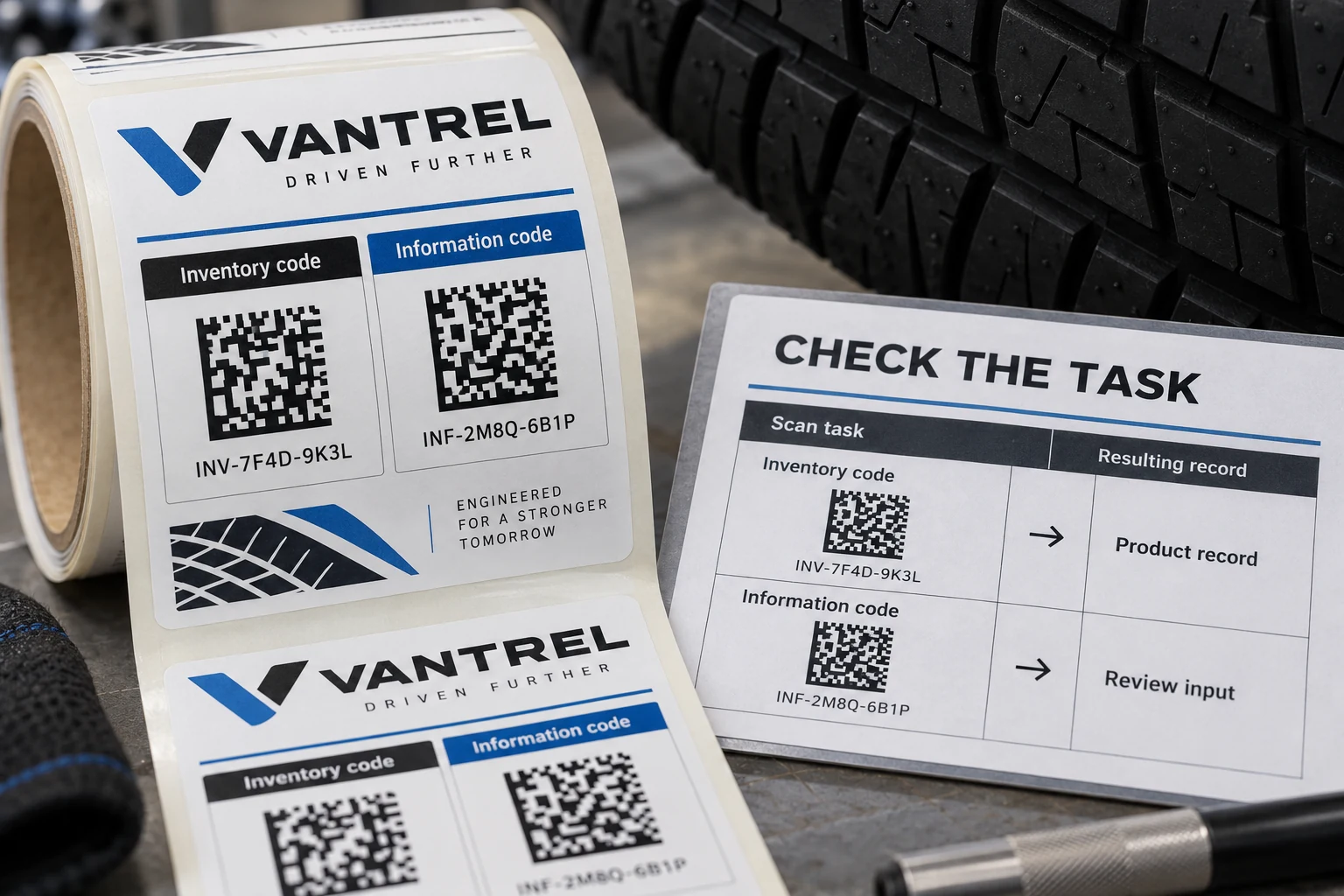
Record the physical scan point too. A label reviewed flat on a desk may be partly hidden when the tire is stored. Code selection should be evaluated at the actual reach, viewing direction and handling position rather than only in a design application.
Include wrong-code attempts in the proof review
Use a controlled test workflow with the intended scanner and representative applied labels. First capture the intended inventory code and compare the returned product with the approved record. Then deliberately present the other code. Record whether the transaction is rejected, redirected, left incomplete or incorrectly accepted.
Repeat the review with the usual label position and with both symbols visible. The purpose is not to produce a universal scan-success percentage. It is to find whether the proposed combination of layout and workflow can distinguish the jobs under the conditions the buyer intends to use.
Keep sample identity, artwork revision, device configuration reference, application version and observations together. A note saying both codes scanned loses the most useful result: which action the application took for each one. If the wrong capture creates a valid stock transaction, stop that workflow and have its owner resolve the acceptance rule before release.
Change the least expensive layer that solves the problem
If the existing label is readable and the application accepts the wrong type of value, reprinting the same data farther apart may leave the underlying problem intact. A controlled application or device change may be the better first action. Validate the change with the operational owner and preserve the previous configuration for comparison.
If aiming remains awkward despite appropriate acceptance rules, review placement, headings and spacing. Moving a code can affect available clear area and the reading direction on the tire. Return the revised layout for final-size review rather than approving a cropped screenshot of the new position.
If the second task is rare and can use another approved information route, a single-code label may be simpler. Conversely, when two groups genuinely need separate access paths, retaining both can be justified. The choice depends on the actual tasks, not a blanket preference for more or fewer symbols.
Release a behavior, as well as a layout
The release record should identify the approved artwork and the workflow against which it was checked. It should say which code is intended for each task and what happens to an inappropriate capture. A changed software profile can invalidate that relationship even while the printed label remains identical.
This selection review does not replace formal barcode quality verification where that is required. Nor does a successful phone scan prove warehouse acceptance. Keep print quality, decoded data and transaction behavior as separate observations so a future failure can be traced to the right part of the process.
For tire barcode and QR labels, prepare a two-code brief containing the approved payloads, task table, scanner and application details, marked tire photo, final dimensions and quantities. Organize the brief on the contact page and send supporting files through email or WhatsApp. The useful starting point is what each scan must do, including the scan you do not want accepted.