Resource Guide
Tire QR Code or Linear Barcode: Which Scan Job Comes First?
A camera-friendly code and a warehouse scan code may point to different things. Before choosing a symbol, name the scanner, the data owner and what a successful scan must return.
Published 2026-09-29
Digital proof before production. Material and adhesive options are discussed according to your application requirements.
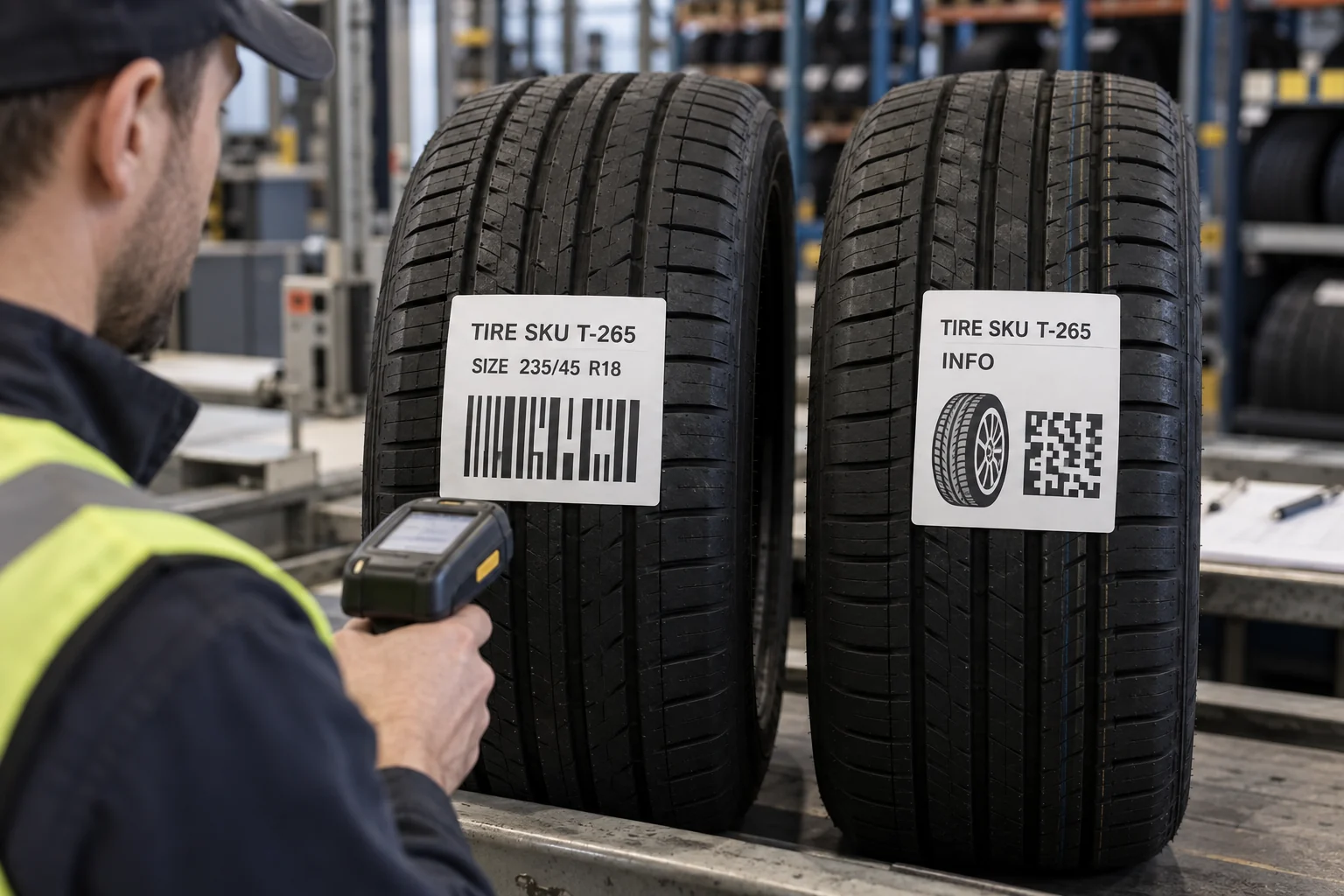
Quick Answer: Start With the Scan Result
If a receiving scanner needs a product identifier to match an order line, agree the identifier, symbology and data format with the trading partner. If a buyer wants a phone camera to open product information, a QR-style web link may suit that separate purpose. GS1 notes that QR codes carrying a web-compatible Digital Link are convenient for generic smartphone access, while different 1D and 2D carriers require the right scanner and syntax. A QR symbol is not automatically a better warehouse barcode, and a linear barcode is not automatically a consumer information page.
An Illustrative Receiving-Dock Choice
Imagine a tire wholesaler with handheld scanners that expect a buyer SKU. The sales team also wants a phone-accessible fitment page. This is a composite scenario, not a customer interview. Printing only a web QR code would change the receiving workflow unless the scanner and software understand its payload. Printing only an internal barcode would not provide the intended phone journey. Two clearly named data fields may be justified, but only after a finished-size proof shows both can be read without crowding tire size and product information.
Map the Payload Before the Graphic
For each code, write down the exact payload, who creates it, whether it changes by SKU or by individual tire, and which system validates it. Keep a human-readable SKU or size beside the code. Avoid a web link controlled by an employee account or temporary campaign page when the label may outlive the campaign. If GS1 identifiers are required, obtain the assigned data and current application specification from the responsible company; a printer cannot invent a GTIN or promise that every trading partner will accept a chosen carrier.
- READER: warehouse imager, laser scanner, phone camera or another device.
- PAYLOAD: product ID, serial data, URL or a defined combination.
- OWNER: who issues IDs and maintains any landing page.
- FALLBACK: readable size and SKU if scanning fails.
- PROOF: decode the actual printed sample with the intended device.
Tire Surface Changes the Test
Codes printed on a flat proof are easier to aim at than codes applied to a curved, textured tire. Label width, tread placement, handling and lighting matter. Test the proposed size and finish on the actual tire type after application and through the normal rack or picking position. Review quiet area and print contrast without assuming that a code in an AI-generated photograph is functional. The cover image uses fictional, non-scannable motifs to illustrate layout only.
What to Send for a Quote
Share a sample tire, desired label dimensions, scanner models, exact data field definition, SKU list, print quantity and the expected life of any URL. Ask for a proof that clearly separates human-readable size, warehouse code and optional web information. If the label must be removed before retail display or fitted use, include removal timing. The better purchase is the one that fits a real scan workflow, not the one with more squares on the artwork.
FAQ
Questions Buyers Ask
Can a warehouse scanner read a QR code?
Some imagers can, but the scanner and receiving software must also understand the exact encoded data. Test the actual workflow.
Should a tire label have both a barcode and QR code?
Only when two distinct, approved scan jobs justify the space and each remains readable on the applied label.