Variable Label Quantities: One Data Row Does Not Always Mean One Label
Published
The buyer sends a spreadsheet with 40 product rows and asks for 12,000 labels. Some rows need hundreds of copies, others only a few. A printer counting rows can produce the wrong total while reproducing every visible product field correctly.
Define how each approved row expands into physical labels. Keep row count, copy quantity and unique identity as separate concepts, then reconcile the planned output before print. A quantity column is only useful when everyone agrees what it means and how exceptions are handled.
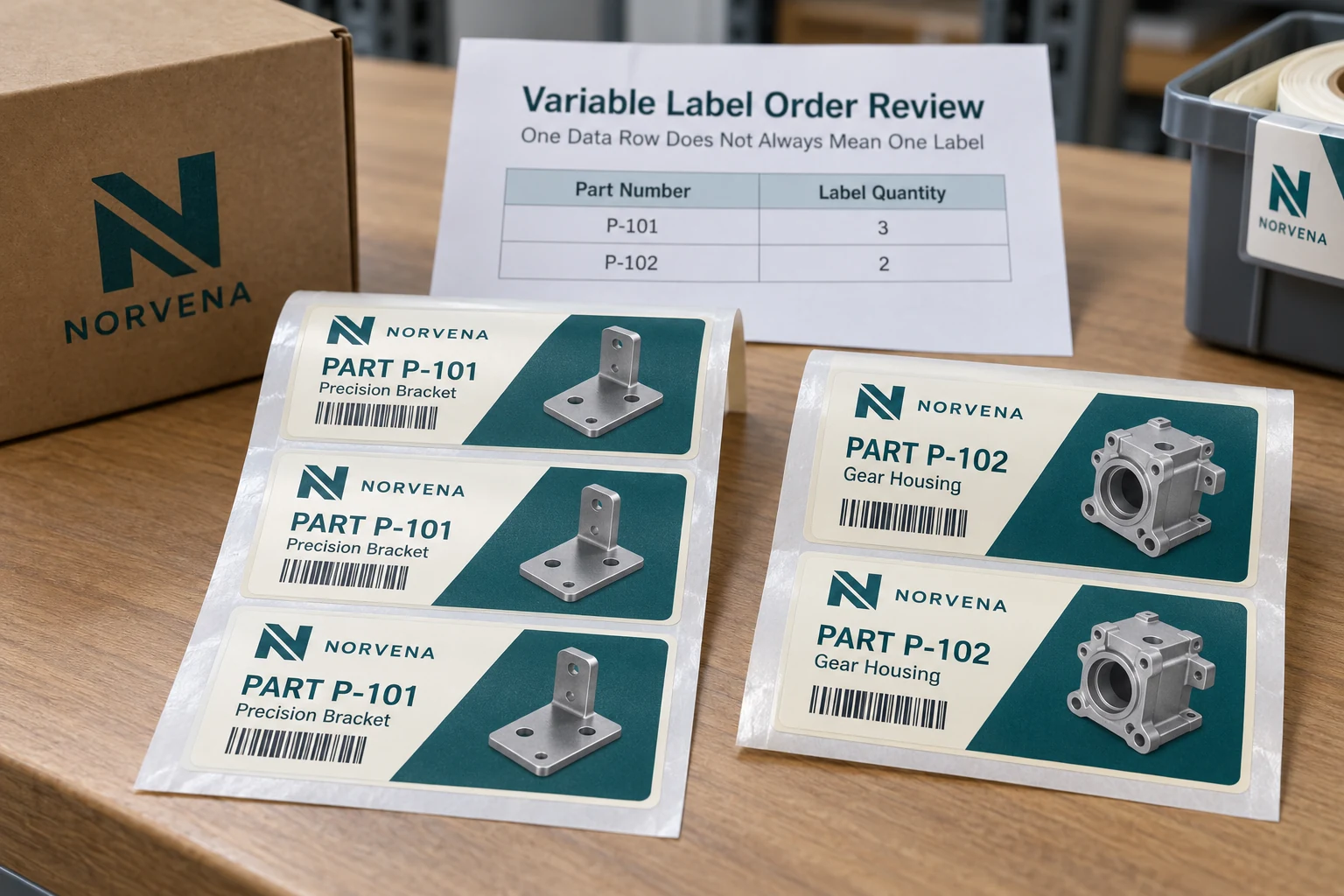
Establish whether values may repeat
A product label can legitimately repeat the same SKU many times. A serialized label may require a distinct value for every approved item. A matched-set job may intentionally repeat one asset ID across specified physical copies. These are different data contracts.
Have the data owner identify which fields remain fixed per row and which, if any, vary per physical label. Do not ask the supplier to infer serialization from an increasing sample number or to repeat an individual identity because a quantity cell happens to contain more than one.
The variable-data guide introduces changing fields. This quantity review concerns the next step: how approved records become the exact number and combination of printed pieces.
Define the quantity column explicitly
Give the field a clear meaning such as required physical copies for this approved product version. State whether the value includes any approved reference copies or extras. Keep packing quantities and labels per roll in separate fields so they cannot be mistaken for print quantities.
Decide how the workflow handles blank, zero, negative, fractional or nonnumeric entries. Those are exception decisions for the owner, not opportunities for the print system to choose a convenient default. If zero means do not print, make that rule explicit.
Do not silently round a quantity or treat a blank cell as one. The resulting labels can look correct while the order remains wrong. Return the affected rows for clarification and retain the accepted replacement file under revision control.
Reconcile a small example before the complete file
Use an owner-approved witness subset that includes different quantities and a relevant exception. The following example uses fictional product references and demonstrates arithmetic only.
| Product row | Approved copies | Planned physical labels |
|---|---|---|
| P-101 | 3 | 3 copies of the approved P-101 version |
| P-102 | 2 | 2 copies of the approved P-102 version |
| P-103 | 0 | None under an explicit zero-means-no-print rule |
| P-104 | Blank | Held for clarification, not defaulted |
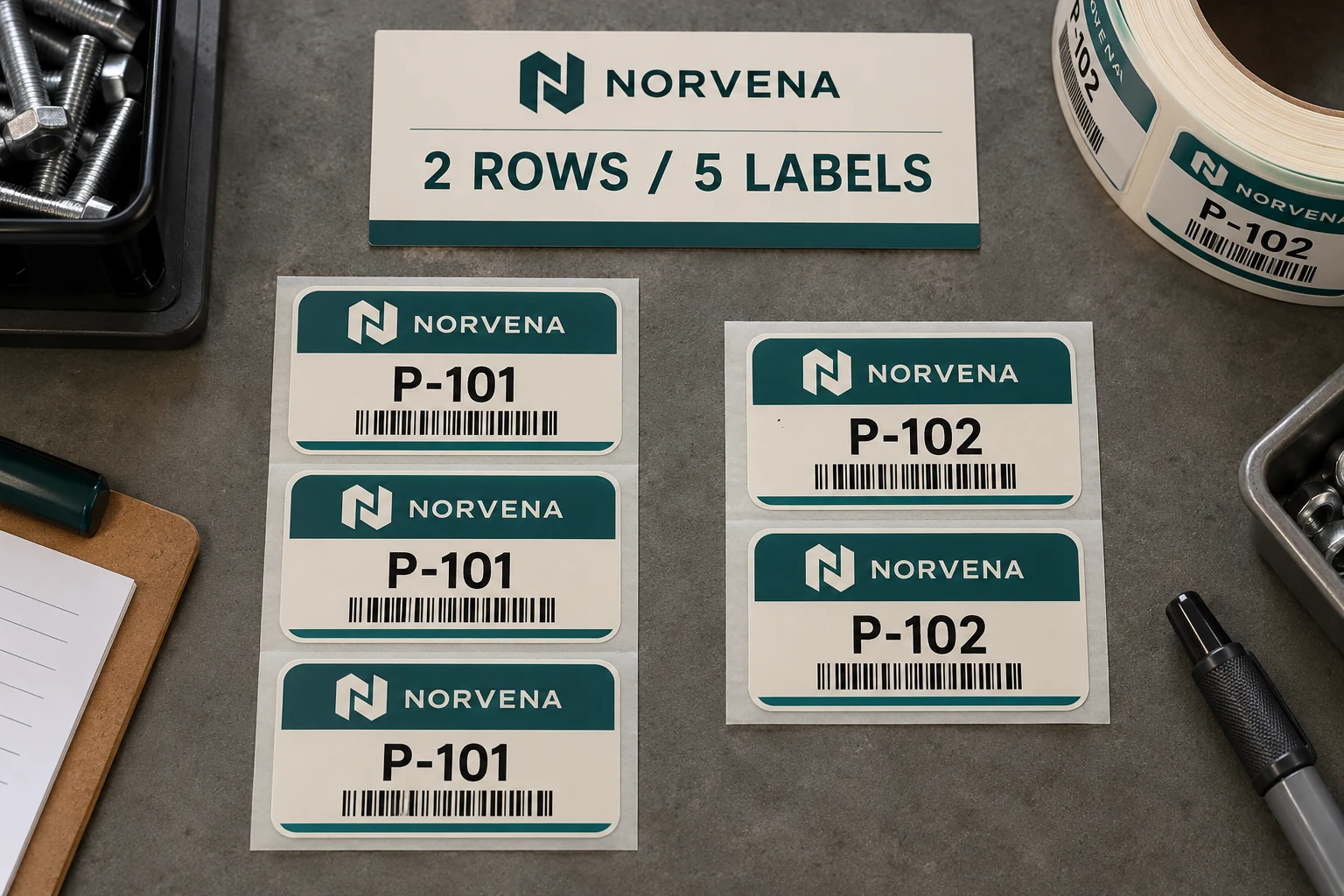
This example contains four rows, five authorized physical labels and one unresolved row. It is not a production order. The distinction makes it clear why total row count alone cannot be used as the finished-label quantity.
For the complete job, retain a reconciliation showing accepted rows, rejected or held rows, copies per accepted row and the resulting total. Match that total to the purchase instruction. If the numbers disagree, resolve the difference before artwork approval is treated as print release.
Keep repeated copies separate from serial generation
If the job needs unique IDs, obtain the authorized list or generation rule from the data owner. The quantity-expansion process must not turn one unique ID into several unintended copies. The duplicate-serial guide explains the consequences of uncontrolled reprints and repeated identities.
If repeated copies are intentional, state their purpose and physical presentation. A supplier should be able to distinguish ten copies of one product label from ten independently serialized asset labels. The same nominal order quantity can describe either task.
Review first and last relevant values, boundaries between product groups and any special repeat rule in the witness output. Do not assume a correctly populated first label proves the copy count or subsequent sequence.
Agree presentation after the expansion is understood
Once the intended physical output is clear, decide how it will be grouped into rolls, sheets or packs. A row-to-copy plan and a packing plan answer different questions. Keep both connected so partial packs remain identifiable.
For small mixed orders, a manifest listing product version and supplied physical quantity may be enough. For more complicated jobs, the buyer may require additional reconciliation. Ask what the supplier can actually provide and include the agreed deliverable in the order rather than assuming it comes automatically.
Do not change quantities to make the packing look tidy without approval. Extra copies can be harmless in some repeated-product jobs and problematic in serialized or controlled-copy applications. Their disposition belongs in the buyer's rule.
Correct the file before redesigning the label
If the artwork is correct and the error lies in quantity interpretation, a clearer data contract may solve the problem without a visual redesign. Preserve the approved layout while correcting the copy plan and obtaining a new controlled release.
If printed stock already exists, reconcile what was actually supplied against the intended output. The owner can then decide what is usable, missing or excessive. Avoid requesting another complete file print until those differences are known.
For custom variable data labels, prepare a row-to-copy brief with the approved file, quantity-field definition, repeat or uniqueness rule, exception handling, expected total, artwork and packing requirements. Organize the requirements on the contact page and send supporting files through email or WhatsApp. The order is ready when the rows and the physical pieces tell the same story.