GS1: Ten Steps to Barcode a Product
Primary guidance on symbol selection, size and quiet zones.
View detailsResource Guide
Shrinking the tire size until a code fits is not a design win. Neither is squeezing a barcode to the edge so the label looks tidy. Start with the scanner, payload and real viewing distance.
Published 2026-10-03
Digital proof before production. Material and adhesive options are discussed according to your application requirements.
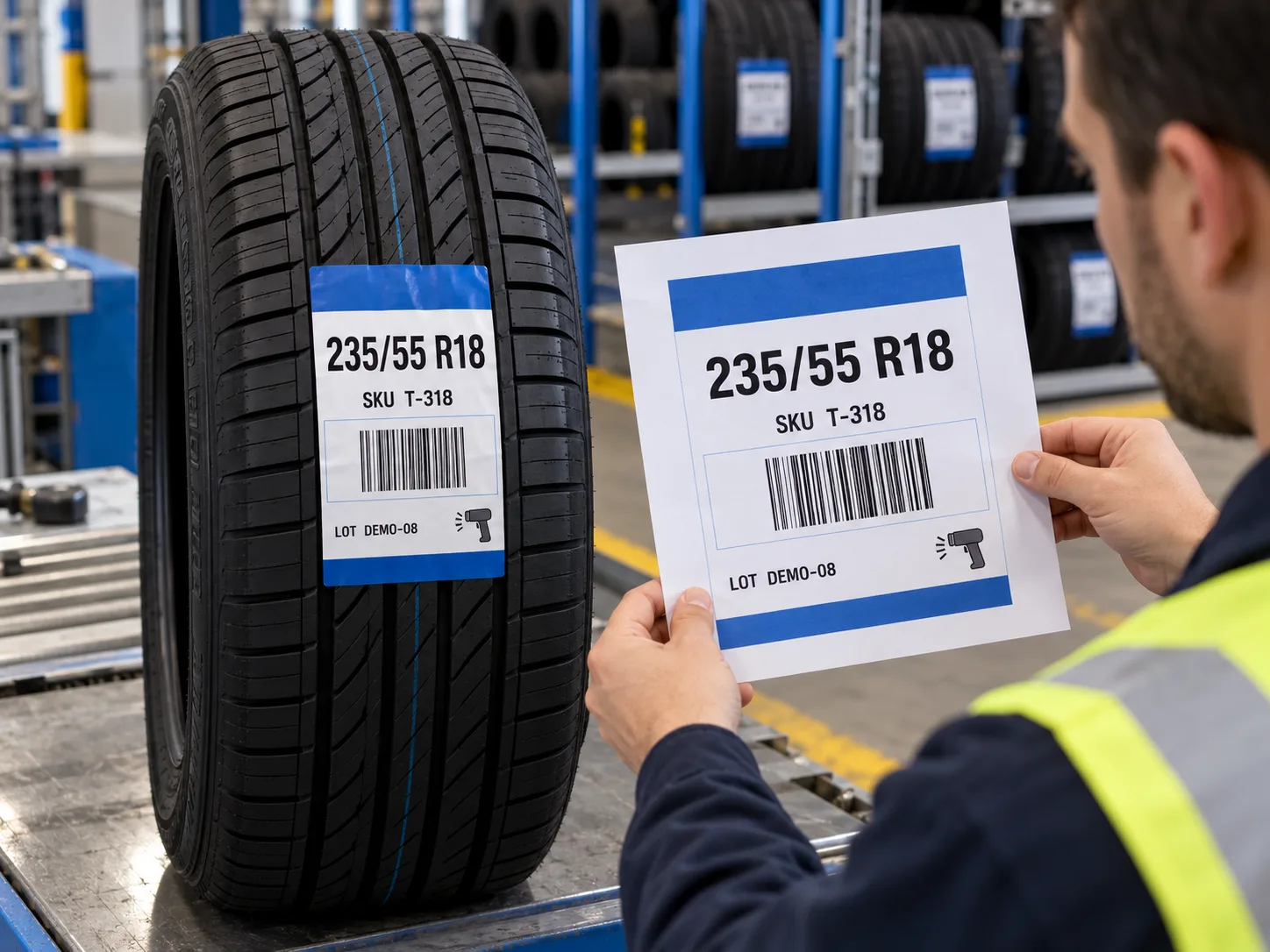
Decide what the code represents, who supplies its approved value and where it will be scanned. Then define the human-readable tire size and SKU that a person must see without a device. A code needs its required clear margins and appropriate dimensions for its symbology and scan setting. GS1 explains that quiet zones are free-of-print areas and that symbol sizing depends on scanning use. That guidance applies when using a GS1 barcode; an internal code still needs its own scanner and production checks. Do not invent a one-size-fits-all millimeter rule from a photograph.
Primary guidance on symbol selection, size and quiet zones.
View detailsImagine a buyer approving a bright blue tire label at 200% zoom. The tire size is clear on the PDF, but on the finished label the code runs almost to a rounded corner and the size text is too small for a picker standing at a rack. This is a composite scenario, not a test result. Increase label width, simplify nonessential copy or move secondary content before reducing the functional fields. The exact tradeoff depends on the tire, scanner and approved data.
Reserve space for the approved code with its quiet zone, then set a legible hierarchy for tire size, product or buyer SKU and any required lot or market information. Keep the code on a stable, high-contrast area rather than over a photograph or busy graphic. Consider the finished die-cut boundary, not just the artboard. A QR-like image in a mockup does not show that the real payload will fit or scan. Print a finished-size sample with the final string.
Tread curvature, grooves and handling can change how the printed code presents to a scanner. Apply a finished-size sample to a representative tire at the intended position. Scan it using the buyer device at receiving and picking. Compare the decoded string to the approved record, including leading zeros or separators. A successful read on one phone is useful but is not a formal print-quality verification or proof that the encoded business data is correct. If a contract requires a verifier report, state the method and acceptance criteria separately.
Share tire sizes, label position photo, proposed finished size, approved data samples, symbology or trading-partner requirement, scanner model, artwork, quantity by SKU and roll or sheet preference. Ask for one physical proof per materially different layout. If the content cannot fit at a useful size, say so before printing and agree which information can move elsewhere. A label that scans only after a worker rearranges the tires has missed the practical brief.
FAQ
There is no universal size independent of the symbol, payload, scanner, scan distance and label surface. Work from the actual use and test a finished-size sample.
No. Compare the decoded value with the approved product record and use any required formal verification process separately.