Long Tire Model Names: Approve Overflow Before a Short Label Becomes Unreadable
Published
The template looks tidy with a short model name. A longer approved record wraps into the tire-size field, and the software offers to shrink the text. That keeps the words inside the box, but it may make the label harder to use at the warehouse or retail display.
Approve an overflow rule using the actual longest and most awkward records before releasing the template. Decide whether the field may grow, wrap, use approved abbreviated wording or require a different layout. Automatic fitting should implement an approved rule, not make the content decision on its own.
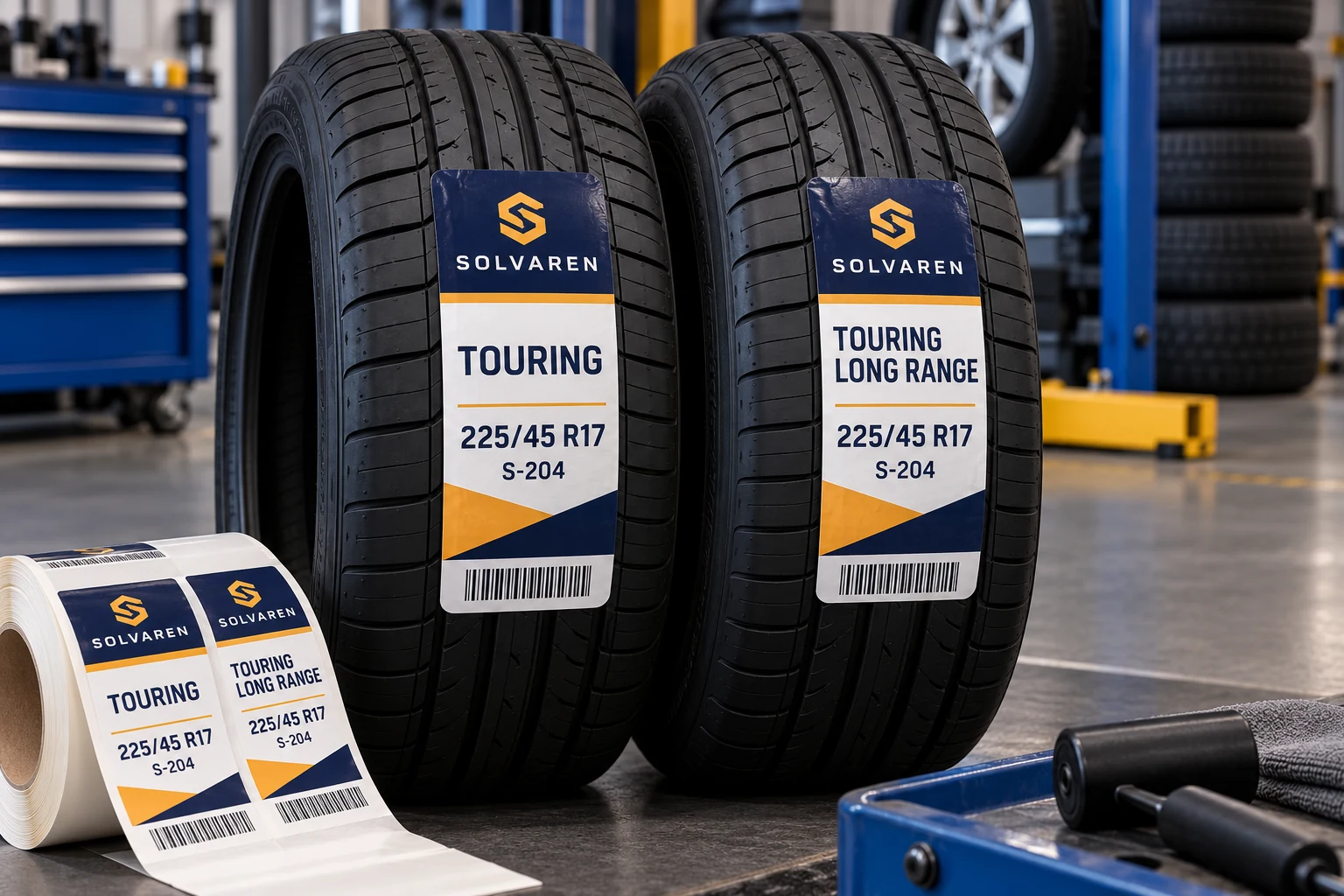
Choose records by layout pressure
The longest character count is useful, but it is not the only boundary case. Character widths, spaces, punctuation and allowed break points can change how a name occupies a field. Select examples that represent the actual product list rather than repeating a convenient short placeholder.
Include a short ordinary record, a long multiword name, a long unbroken value if the data contains one, and any special characters the print path must reproduce. Preserve the approved wording. Do not create an artificial name and assume it represents every real record.
The buyer's product-data owner should confirm which parts of the name are essential identifiers and which, if any, may be abbreviated. A designer cannot decide that two similar product names remain distinguishable after removing the words that differ.
Give the important fields priority
A tire label can carry brand, model, size, product code and other approved information. Decide which reading task controls the hierarchy. The model field should not expand into the tire-size panel or the clear area around a code without a complete layout review.
The private-label information guide covers that hierarchy. Overflow review tests the hierarchy against the full data set, including the records that put the greatest pressure on the available area.
If a particular product name requires a separate layout, make that version visible in the SKU-to-artwork record. A controlled exception can be easier to manage than a universal template with many hidden conditions. Compare the maintenance burden of both approaches before choosing.
Approve the rule, then the output
| Overflow option | Suitable condition to consider | What needs approval |
|---|---|---|
| Additional line | Available height and sensible word breaks | Maximum lines and neighboring-field protection |
| Larger field | Layout can yield space elsewhere | Complete final-size layout |
| Approved abbreviation | Product owner confirms unambiguous wording | Exact replacement text by record |
| Alternate template | A limited group has different requirements | Explicit SKU-to-template assignment |
| Controlled font adjustment | Actual output remains acceptable | Permitted range and reading review |
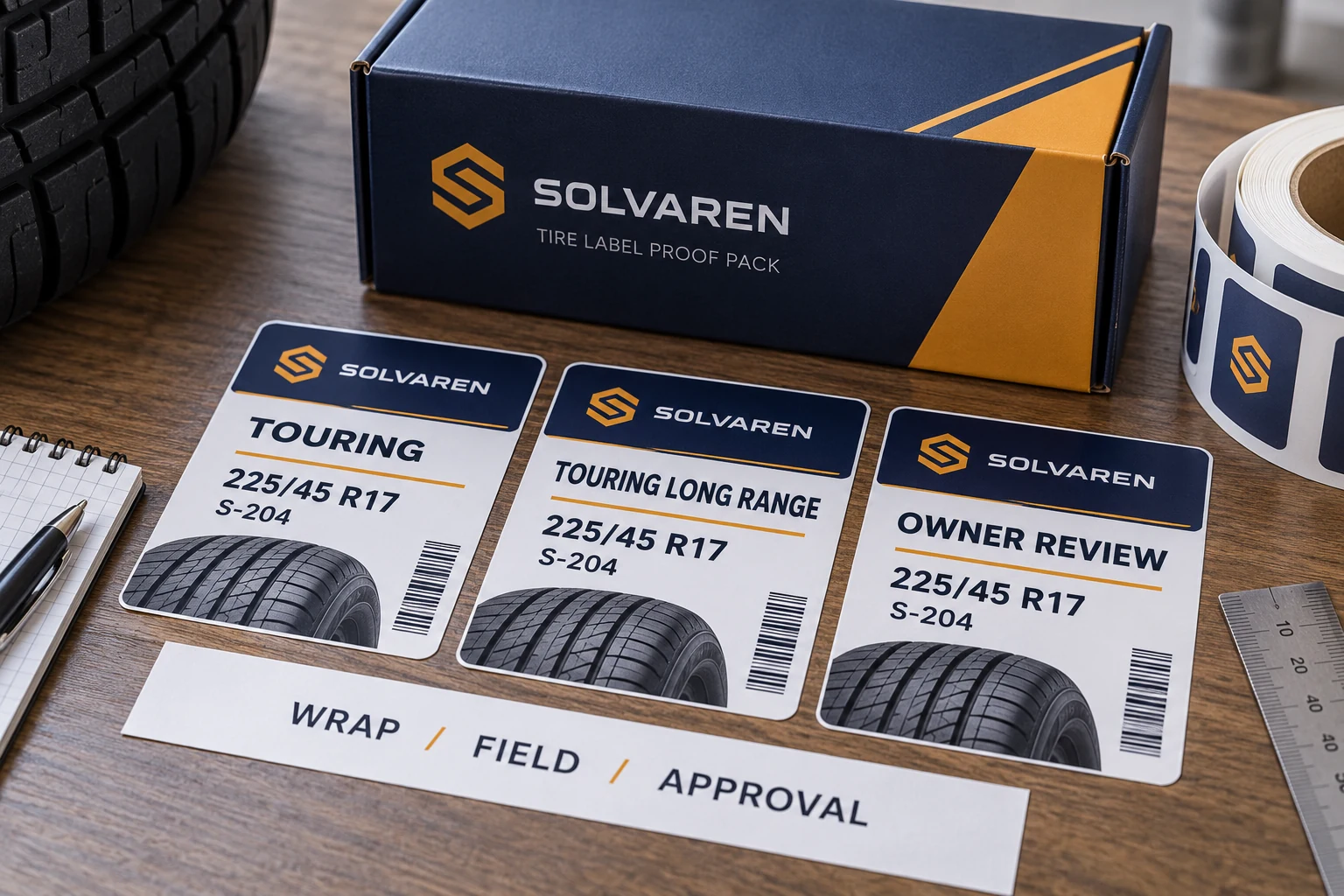
Do not treat truncation as an invisible default. If the process would drop characters, flag the record unless the owner has explicitly approved the resulting wording. A clipped model name can look intentional on a polished label.
Similarly, do not make font size the only acceptance measure. Review the finished output at the intended reading position. The buyer should set any specific type or readability requirement; this guide supplies no universal minimum that would suit every tire label.
Test the whole record, not an isolated text box
Populate the complete label with the witness records. Include the actual size, SKU, code area and other relevant fields. A long model name may fit alone while colliding with another field populated later in the production workflow.
Review each resulting label at its intended physical dimensions. A large screen preview can conceal how difficult small adjusted text will be to read. If the project uses preprinted rolls, verify the variable field against the fixed artwork rather than approving the variable layer on an empty white page.
Keep the generated proof reference and the source row together. Record which rule was applied to each exception. That makes the approval reproducible when the same data is regenerated or the template is moved to another print station.
Do not shorten the data behind the barcode casually
The visible model name and encoded identifier may serve different purposes. A layout decision to abbreviate approved display wording does not authorize shortening the code payload. Keep those fields and their rules separate.
If the barcode itself no longer fits, review the required carrier, data and physical symbol with its responsible owner. Do not squeeze or crop the symbol simply because a text-fitting tool solved the neighboring name field. The overprint-window guide helps connect the populated variable output to the actual available area.
For an existing order, isolate only the records that violate the approved layout rule. The rest may remain usable within their existing approval scope. Avoid redesigning every label when a controlled exception or corrected template rule solves the actual problem.
Keep future product additions from bypassing the review
Save the accepted boundary records with the template. Define a trigger for new data that exceeds the reviewed conditions, such as additional lines or a previously unsupported character. The software may flag such records, but a person still needs authority to approve the response.
When marketing changes a model name, treat it as a content change that may affect layout. Do not assume the replacement occupies the same space because the product itself is unchanged. Recheck the affected output and preserve the new wording approval.
For custom tire labels, prepare an overflow-proof brief with the actual product list, long and awkward examples, approved wording rules, complete artwork, label dimensions and quantity by version. Organize the requirements on the contact page and send supporting files through email or WhatsApp. The template is ready when the difficult real records work, not only the shortest sample name.