Resource Guide
Warehouse Rack-Beam Barcode Labels: Location ID, Not Product ID
The rack position stays when its contents change. A location label should answer where to put or pick an item, not pretend to identify whichever carton happens to sit above it today.
Published 2026-10-02
Digital proof before production. Material and adhesive options are discussed according to your application requirements.
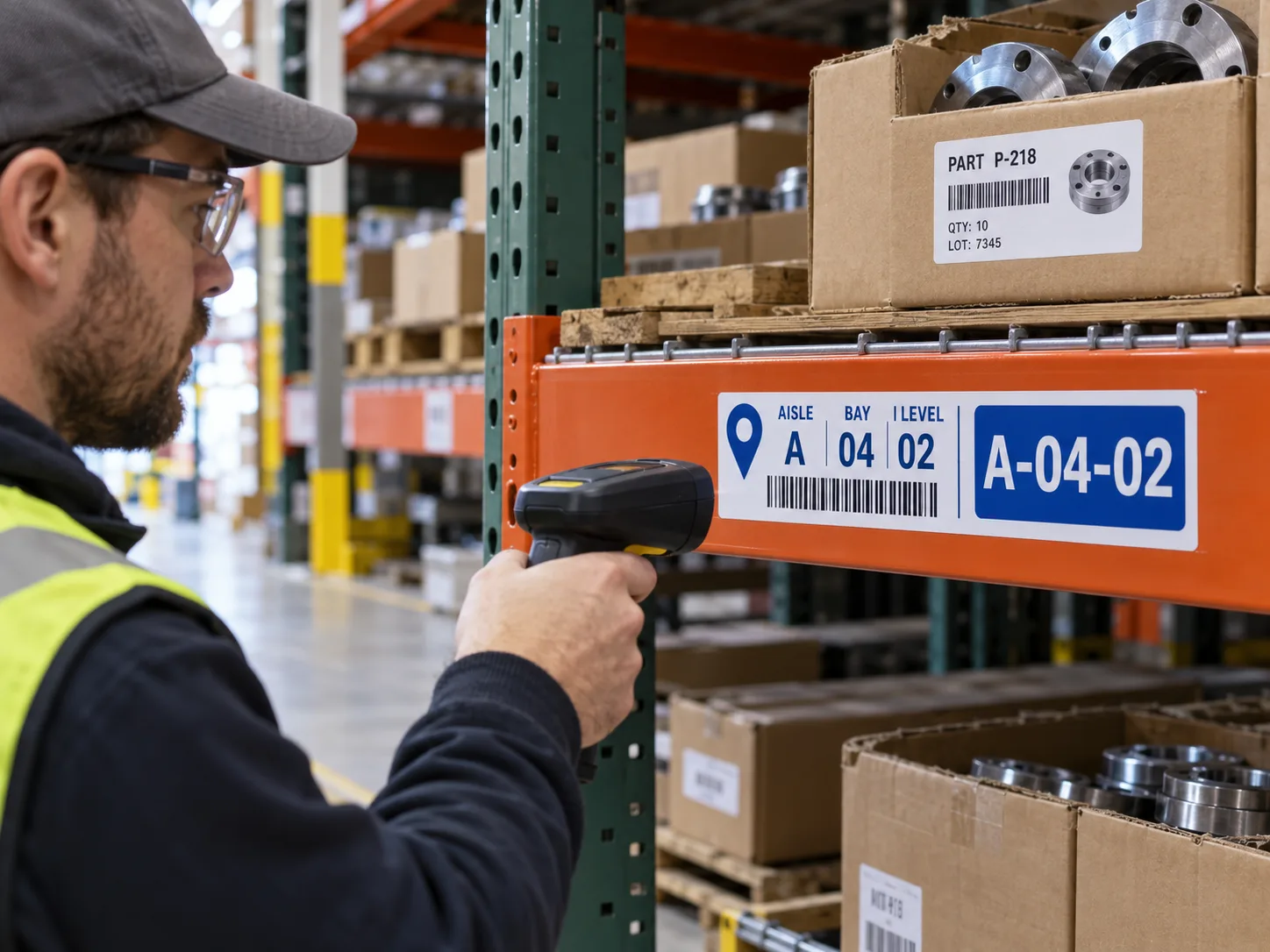
Quick Answer: Name the Place, Then the Stock
Create a stable location code for the aisle, bay, level and position your warehouse-management process actually uses. Put that ID on the appropriate fixed rack beam or upright. Cartons and parts keep their own product, lot or shipment identities. GS1 defines a GLN for globally identified parties and locations, but an internal rack code does not automatically need a GLN. Follow the system owner and any trading-partner specification rather than printing a standards prefix to make a label look official.
An Illustrative Put-Away Mistake
Imagine a picker reaching Bay 04, Level 02 after a morning replenishment. The old carton label is still taped to the beam, while the new part P-218 sits above it. This is a composite example, not a documented warehouse error. A product label on a fixed beam becomes stale the moment the slot is reassigned. Use one controlled location ID on the rack and a separate product ID on the stock. The software can connect them for the current movement.
Design for the Actual Scanner Path
Place the location code where the worker points a handheld scanner during put-away and picking, not where it looks best in a CAD drawing. Check forklift or cart clearance, beam repainting, abrasion, overhead lighting and whether a pallet blocks the code. Large human-readable characters should match the encoded location exactly. If the site uses more than one level or position per bay, make the hierarchy visible without relying only on color. Print a small trial batch and scan from the normal operating position before ordering every aisle.
- SCHEME: approved aisle, bay, level and position syntax.
- SURFACE: beam coating, texture, repainting and cleaning.
- VIEW: scanner distance, obstructions and label orientation.
- DATA: ownership of new, moved and retired location codes.
- REPLACE: how a damaged or relocated rack label is reissued.
A Rack Label Can Outlive Several Product Moves
Plan the label construction for the fixed beam and routine contact, but do not promise permanence from a generic material name. A removable temporary location label might be right during a warehouse reset; a long-term location marker may need a different construction. If racks are regularly reconfigured, agree on a retirement and reprint process before committing thousands of identical positions. Keep a master data list and reconcile it to the printed sequence so no two locations accidentally share one code.
What to Send for Quotation
Provide the location-code file, total positions, label size, rack photos, coating details, scan devices, placement height, damage exposure, print orientation and packaging order. Ask for an applied sample in one real aisle. If cartons also need product labels, quote those separately with their own data owner and replacement cycle. The two label families may look similar but solve different questions: where is it, and what is it?
FAQ
Questions Buyers Ask
Should a rack-beam barcode contain the product SKU?
Not as the stable location ID. The rack identifies a place; the warehouse system associates current stock with that place.
Does every internal rack position need a GS1 GLN?
No. Use the identifier scheme required by the warehouse system and trading partners. GS1 location identifiers apply when that standards workflow is chosen.