Resource Guide
Rental Equipment Asset Labels: One Unit ID Through Every Return
A rental job ends; the physical unit remains. Its asset sticker should still point to the same machine when the next hire ticket, return slip or service order changes.
Published 2026-10-03
Digital proof before production. Material and adhesive options are discussed according to your application requirements.
Quick Answer: Give the Physical Unit a Stable ID
Put a buyer-owned asset number on a fixed, readable area of the equipment. Keep temporary job, customer, destination and return information in the rental system or on a separate removable ticket. The barcode or QR on the asset label should resolve to the unit record, not a single hire. A supplier can print the approved IDs and artwork, but the fleet owner must govern uniqueness, reissues and retirement. Do not copy or cover the manufacturer serial plate, operating instructions or warnings.
An Illustrative Check-In Counter
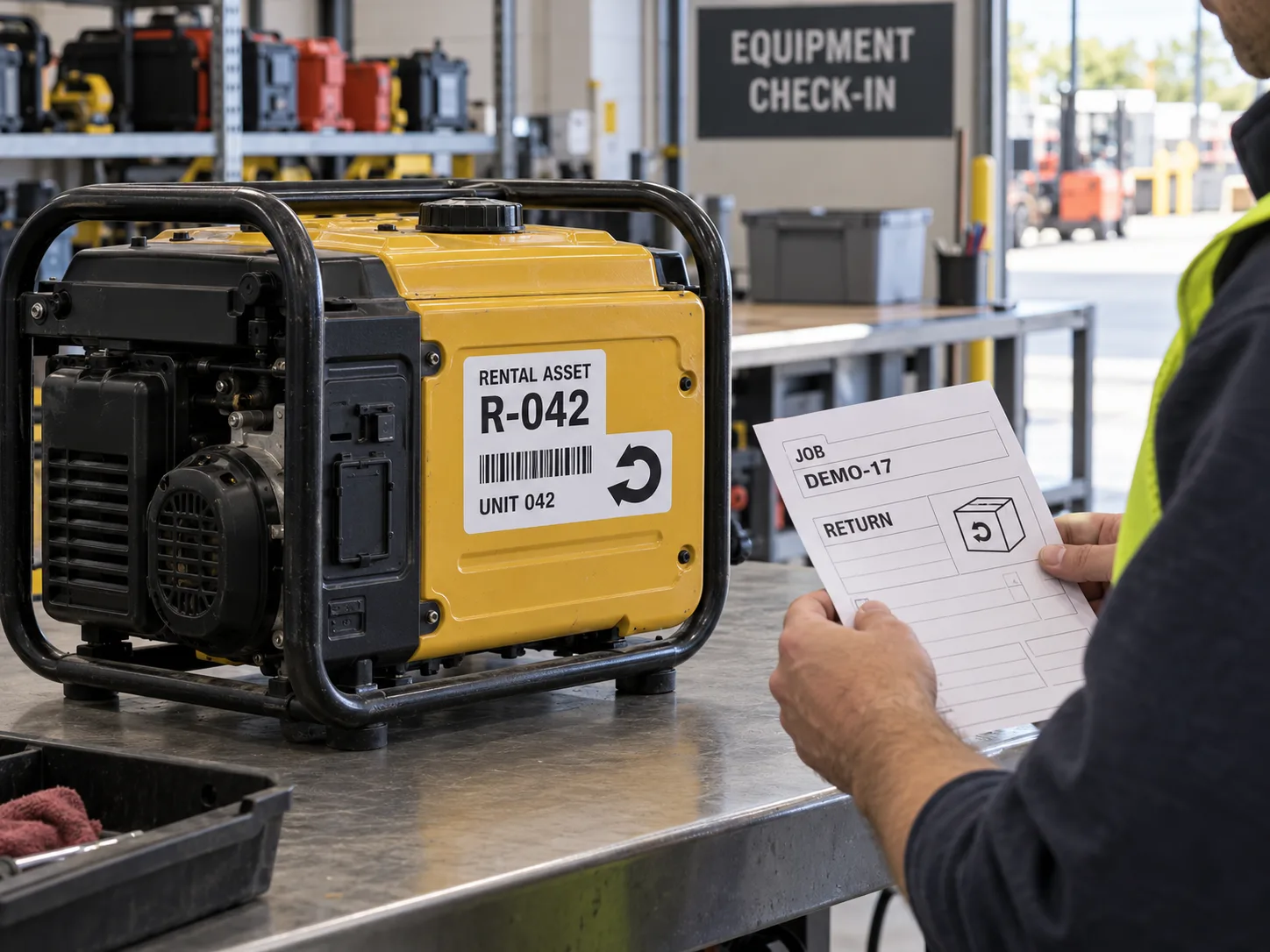
Imagine two visually similar generators returning on the same afternoon. A clerk has two paper return slips but one unit has a weathered asset sticker. This is a composite example, not a documented rental error. If the clerk scans the hire ticket instead of the machine ID, the wrong maintenance history may be opened. A readable asset number on the fixed housing lets staff verify the physical item before closing either transaction. The ticket can then leave with the paperwork while the asset ID stays.
Plan for the Whole Rental Loop
Map where the unit is read at dispatch, customer handoff, return, cleaning, service and retirement. Some surfaces are grasped, scrubbed or bumped every trip; others are hidden in a case. Choose a placement visible at check-in but clear of hot parts, vents, controls and manufacturer markings. Keep a human-readable fallback if the scanner or network is unavailable. Decide how to remove or invalidate an old asset ID when a housing is replaced so two physical units do not claim the same record.
- OWNER: fleet system that assigns and retires unit IDs.
- PLACEMENT: fixed panel visible at dispatch and return.
- EXPOSURE: cleaning, handling, storage and outdoor use, if applicable.
- DATA: barcode payload and fallback text tied to one physical unit.
- REPRINT: controlled replacement for damaged or lost labels.
Do Not Confuse a Sticker With a Service Record
A scannable ID opens a record; it does not prove that the equipment passed inspection, was serviced or is safe to rent. Those decisions belong in the owner process. If the label includes a service date or status, name who updates it and how stale information is removed. Keep safety warnings and legal markings as separate, approved items. A generic sample photo is not evidence of a particular fleet performance or maintenance practice.
What to Send With the RFQ
Provide equipment types, approved label locations, housing materials, label dimensions, sample ID format, quantity, cleaning products, expected handling, scan devices and whether labels are applied centrally or at depots. Request a finished-size sample on a representative unit and test it at both dispatch and return. Include rules for replacement labels and retired IDs. That makes the artwork a tool for the actual rental workflow rather than a decorative serial number.
FAQ
Questions Buyers Ask
Should the rental agreement number be on the permanent asset label?
Usually a hire number changes each transaction. Keep it in the rental record or on a separate temporary ticket unless the owner workflow explicitly needs another design.
Can an asset sticker prove a unit has passed inspection?
No. It identifies the unit; inspection results belong to the controlled fleet record.